



Running growth for a small indie studio means owning every tool yourself. Lifecycle email and push live in Customer.io. Paid social lives in Meta Ads Manager. Video creative — the part that eats the most time — lives in Creatify. Three logins, three mental models, three places where a simple question like "which segment should I retarget this week and with what creative?" turns into an afternoon.
So I wired all three into ChatGPT through MCP. Not as a demo, but as the place I actually start the week. The result is closer to a cockpit than a chatbot: one surface where the instruments are live, and where the assistant can read from one system and act in the next without me copying anything between tabs.
The value is not that an AI writes ad copy. The value is that the audience, the creative and the campaign finally live in the same conversation.
Why MCP changes the shape of this
Marketing tools have had APIs for a decade. What they never had was a shared way to describe themselves to a model. The Model Context Protocol fixes exactly that: a server exposes typed tools with names, descriptions and schemas, and any MCP client — ChatGPT apps and connectors, Claude, Cursor — can discover them and call them with real arguments.
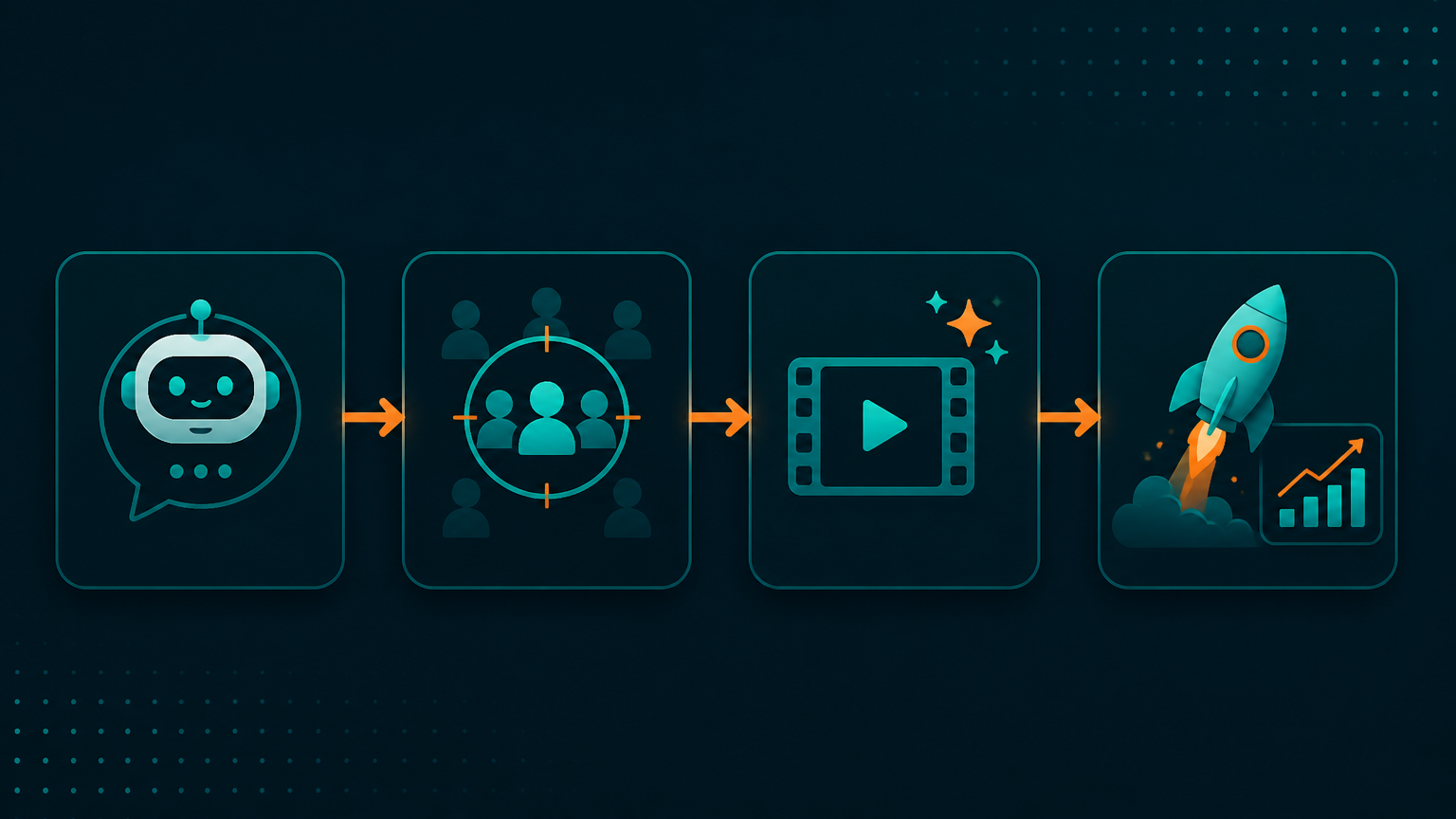
That discovery step is the whole trick. I never tell the assistant which endpoint to hit. I describe an outcome, and it picks tools across three vendors to get there. Customer.io's server knows about people, segments and campaigns. Creatify's knows about avatars, scripts and renders. The Meta side knows about ad accounts, audiences, creatives and campaign objects. Between them, an entire funnel is addressable in one sentence.
The three servers
Customer.io — the source of truth for people
Customer.io ships an official MCP server that exposes its Track, App and Pipelines APIs. In the cockpit it plays one role: it answers who. Which people trialed and never converted. Which segment has gone quiet for 21 days. What a specific customer's attribute payload actually looks like when a journey misfires.
- Look up a person and inspect their attributes, devices and delivery history
- List and inspect segments, campaigns, newsletters and broadcasts
- Pull delivery metrics for a campaign so the assistant can compare lifecycle performance against paid
- Trigger transactional or broadcast sends once I approve the copy
I keep this connection read-heavy by default. The write scopes exist, but the interesting work is reading: an assistant that can genuinely describe your audience is more useful than one that can blindly send to it.
Creatify — the creative factory
Creatify's MCP server turns AI video generation into a callable tool. Give it a product URL or a script and it returns rendered ad variants with AI avatars, voiceover and captions — the exact short-form format Meta placements want. What used to be a separate two-hour session becomes a step inside the same request.
- Generate a batch of script variants from a landing page or a positioning line
- Render multiple avatar and hook combinations for the same offer
- Poll render status and return the finished asset URLs back into the conversation
- Re-cut a winning concept into new aspect ratios for Reels, Stories and Feed
Meta Ads — the distribution layer
The Meta side is where things actually ship. Through an MCP server that wraps the Marketing API, the assistant can read the account structure, pull spend and performance, build custom and lookalike audiences, upload the creative Creatify just produced, and assemble campaign, ad set and ad objects.
- Read campaign, ad set and ad performance with breakdowns by placement, age or region
- Create custom audiences and lookalikes from the segment logic Customer.io just described
- Upload video creative and build the ad object around it
- Create campaigns in paused state, adjust budgets, pause underperforming ad sets
Everything that spends money gets created paused. That single rule is what makes the rest of this comfortable to run.
What a session actually looks like
A concrete Monday. I open one chat and ask for a retargeting push for people who installed one of the apps, opened it twice and never came back.
1Find the Customer.io segment of users who installed in the last 30 days,2had 2 or fewer sessions, and have not opened in 14 days. Tell me the size3and the top three attributes they share.4 5Then draft three 15-second video scripts for that audience in Creatify —6one problem-led, one social-proof, one feature-led — and render them with7two different avatars.8 9When the renders are done, create a paused Meta campaign with a lookalike10of that segment, one ad set per script, and report back the campaign11structure and the estimated audience sizes before anything goes live.The assistant resolves the segment, summarises it in plain language, generates and renders the creative, then builds the campaign skeleton and hands me a structure to approve. My job shrinks to the two decisions that actually need judgement: is this the right audience, and is the creative good enough to run.
| Step | Before | With the cockpit |
|---|---|---|
| Define the audience | Segment builder, export CSV | One sentence, described back to me |
| Produce creative | Separate tool, manual brief | Batch rendered in the same thread |
| Build the campaign | Ads Manager, many clicks | Structured and paused, ready to review |
| Read performance | Three dashboards | One answer across lifecycle and paid |
Where the leverage really comes from
The obvious win is speed. The less obvious win is that questions crossing tool boundaries become cheap. "Did the people who got the re-engagement email convert better when they also saw the video ad?" used to be a spreadsheet afternoon. Now it is a question, because one context can hold delivery data from Customer.io and spend data from Meta at the same time.
- Cross-tool attribution questions become conversational instead of manual
- Creative volume stops being the bottleneck, so testing cadence goes up
- Audience definitions stay in one place and get reused across email, push and paid
- Weekly reporting is generated from live data instead of screenshots
Guardrails I would not skip
This setup touches customer data and a spending account, which is exactly the combination that deserves discipline.
- Scope credentials narrowly: read-only wherever a tool does not need to write
- Use a dedicated system user for Meta rather than a personal admin account, and keep it out of billing
- Create every campaign paused; a human turns on spend, never the model
- Never let the assistant pull raw PII into the conversation — aggregate segment descriptions are enough
- Log the tool calls, so a surprising result is traceable to the request that caused it
Worth being honest about the limits too. Renders take minutes, so long creative jobs are started and polled rather than awaited. Attribution across email and paid remains directional, not gospel. And a model with a great segment and a mediocre offer will simply help you ship a mediocre offer faster.
The pattern underneath
Strip out the vendor names and this is a general shape: a system of record for the audience, a generator for the artifact, an execution surface that ships it, and one assistant that can hold all three at once. Swap Customer.io for your CRM, Creatify for a design tool, Meta for whatever channel you buy — the cockpit still works.
Dashboards were built for humans to look at. MCP servers are built for a model to operate. Once the second thing exists, the first one becomes something you check, not something you live in.