


Primary sources
A note on terminology — August 2026
The AI agent ecosystem is moving extremely quickly, and different platforms use the word agent somewhat differently. This article reflects my understanding of the architecture and terminology as of August 2026, based primarily on the current documentation from Cursor, Kiro and the Model Context Protocol project.
Where those platforms provide a formal definition, I will reference it. Where I reduce different implementations into a common architectural pattern, treat that as a mental model rather than a standards-body definition. That distinction matters.
For example, Cursor formally describes its agent using three components: instructions, tools and a model. Managed agent platforms generally describe an orchestration layer as a loop that calls a model, selects tools, feeds results back, manages context and handles failures. MCP formally standardizes how AI applications connect to external tools and context.
From those systems, I find the following mental model useful:
1Agent = Model2 + Instructions3 + Tools4 + State5 + LoopThat equation is my abstraction, not an official definition from any one vendor. With that out of the way, let's demystify what an AI agent actually is.
First: an LLM is not automatically an agent
The simplest interaction with a large language model looks something like this:
1User2 │3 ▼4Model5 │6 ▼7ResponseYou give it input. It generates output. That output might be extremely sophisticated, but the interaction by itself does not require the model to perform actions in another system.
Now give the model tools:
1User2 │3 ▼4Agent5 │6 ▼7Model8 │9 ├──► Search files10 ├──► Query an API11 ├──► Run a command12 ├──► Read a database13 └──► Create somethingSomething fundamental changes. The model can now decide that answering the request requires an action. More importantly, the result of that action can be sent back into the model.
1Task2 │3 ▼4Model5 │6 ├── Final answer? ─────────────► Done7 │8 └── Tool call9 │10 ▼11 Tool12 │13 ▼14 Result15 │16 └──────────────► Model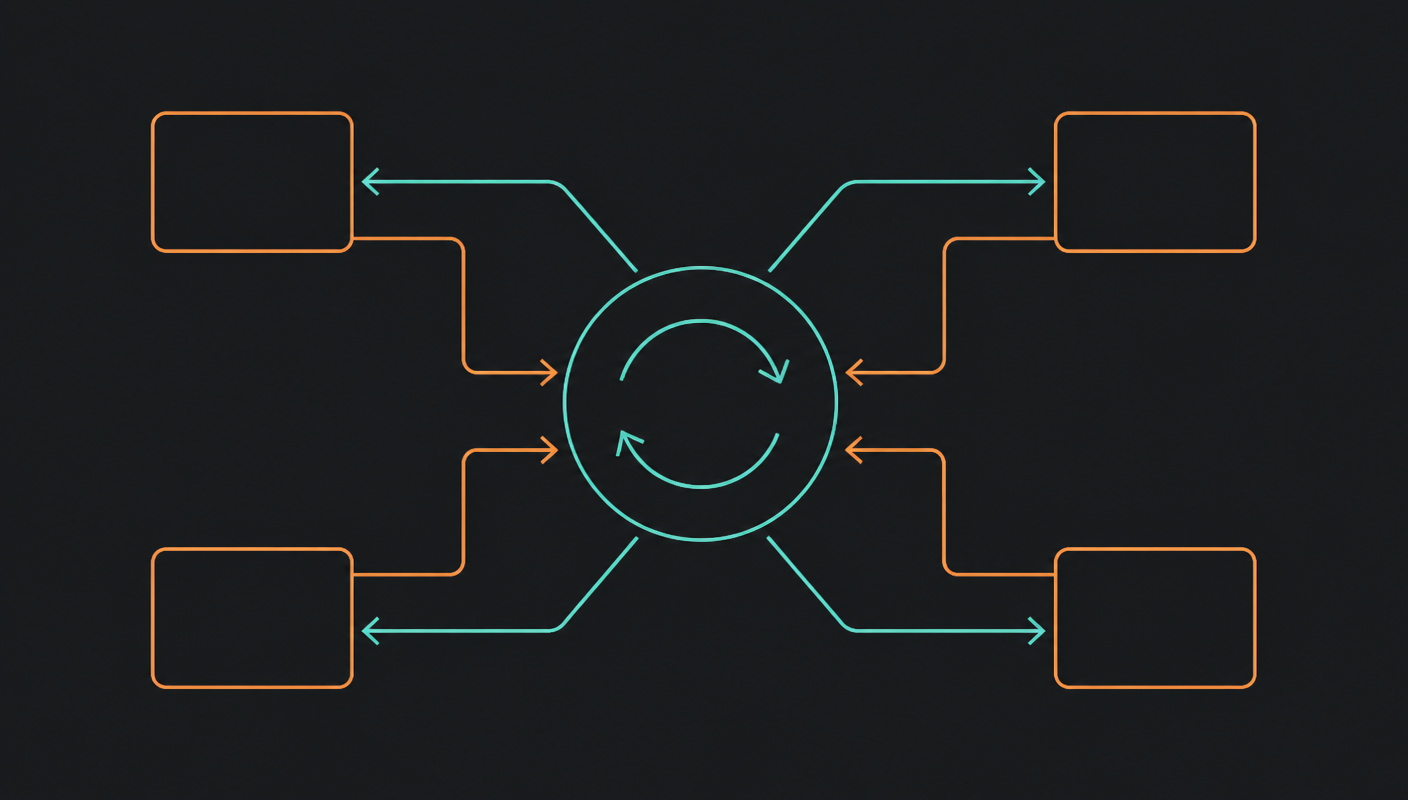
And that cycle can repeat. That repeated orchestration is what I mean throughout this article when I talk about the agent loop. Most managed agent platforms document essentially this same architectural concept: the orchestration layer calls the model, chooses tools, returns tool results to the model, manages context and deals with failures.
So an agent working on a coding task might:
- Read the request
- Search the repository
- Inspect several files
- Change the implementation
- Run tests
- See that tests failed
- Read the failure
- Modify the code again
- Run the tests again
- Return the result
The interesting part is not that a model generated some code. The interesting part is that the model was repeatedly allowed to ask: what should I do next?
What actually runs inside an agent?
Strip away the SDKs, frameworks and product names and an agent can be surprisingly simple. Conceptually, the application might do something like this:
1const messages = [2 {3 role: "user",4 content: "Find the failing test and fix the bug."5 }6];7 8while (true) {9 const response = await model.generate({10 messages,11 tools12 });13 14 if (response.isFinished) {15 return response.text;16 }17 18 for (const call of response.toolCalls) {19 const result = await executeTool(20 call.name,21 call.arguments22 );23 24 messages.push(response.message);25 26 messages.push({27 role: "tool",28 toolCallId: call.id,29 content: JSON.stringify(result)30 });31 }32}This is deliberately pseudocode rather than code for a particular model API. The important part is the pattern. The agent application gives the model a goal, instructions, available tools and the current context. The model can then either return an answer or request a tool. If it requests a tool, the application executes it and puts the result back into the context. Then the model gets another turn.
The model is the intelligence. The agent is the loop.
There are plenty of implementations that add planning, memory, subagents, reflection, retries and other mechanisms around that loop. But you do not need any of them to understand the basic architecture.
Tools are where agents become interesting
Consider two systems. The first model can only generate text:
1Model2 └──► "You should probably restart the service."The second can access operational tools:
1Agent2 ├──► get_service_health()3 ├──► get_recent_deployments()4 ├──► read_cloudwatch_logs()5 └──► create_incident()The language model might be identical. The capabilities of the resulting application are completely different.
A tool generally has a name, a description, an input schema and an implementation. For example:
1Tool:2get_deployment_status3 4Description:5Returns the current state of a deployment.6 7Input:8deploymentId: stringThe model sees that tool definition. It can decide whether using the tool will help accomplish its goal. The actual implementation remains normal software.
1Model2 │3 ▼4Tool call5 │6 ▼7Your application code8 │9 ├── Cloud SDK10 ├── REST API11 ├── Database12 └── Business logicThe model does not magically become your database driver, authentication system or business rules engine. That distinction is important.
Cursor: an agent inside your development environment
Cursor makes the agent concept especially tangible because you can watch the loop operate on a software project. Cursor currently describes Agent as having three core pieces: instructions, tools and a model. Its documented tools include codebase search, reading and editing files, web search, shell commands and browser interaction.
So if I ask it to add Sign in with Apple to an application and make sure the existing authentication tests still pass, the useful behavior is not a single 400-line generation and hope. It is closer to this:
1 ┌─────────────┐2 │ Model │3 └──────┬──────┘4 │5 choose next action6 │7 ┌──────────────────┼──────────────────┐8 ▼ ▼ ▼9 Search code Edit files Run tests10 │ │ │11 └──────────────────┼──────────────────┘12 │13 New context14 │15 ▼16 ModelCursor handles the environment around that loop. It knows about your project and provides the tools the agent can use. Cursor also supports rules, Agent Skills and subagents. Skills package reusable domain-specific instructions, scripts and references; subagents let work be delegated into focused contexts.
Cursor Cloud Agents extend that same basic idea into isolated cloud environments where an agent can clone repositories, build, test and interact with software without relying on your local computer. Those cloud agents can also use MCP servers to reach external tools and data sources.
Which brings us to the first important bridge between these ecosystems: MCP does not replace Cursor's agent. It gives the agent more things it can interact with.
1Cursor Agent2 │3 ├── Built-in file tools4 ├── Terminal5 ├── Browser6 │7 └── MCP8 │9 ├── get_customerio_campaign()10 ├── get_cloudwatch_errors()11 ├── create_linear_issue()12 └── get_contentful_model()Cursor's MCP documentation explicitly positions MCP as a way of connecting Cursor to external tools and data sources.
Kiro: the same core idea, with more engineering structure around it
Kiro is another interesting implementation because it puts substantial emphasis on the workflow around the agent. As of August 2026, Kiro describes a unified agent harness shared across its IDE, CLI, Web and Mobile surfaces. Its configuration can include specs, steering, hooks, permissions, MCP servers, custom agents, skills and Powers.
The basic idea is still familiar:
1Model2+3Instructions4+5Tools6+7Context8+9LoopBut several Kiro concepts make different parts of that architecture explicit.
Steering
Steering is persistent project context that shapes how the agent behaves. For example:
1Always use TypeScript.2 3Infrastructure changes must use CDK.4 5Never access DynamoDB directly from a React component.6 7All new API endpoints require integration tests.Kiro documents steering as project-level guidance and also supports AGENTS.md for repository instructions. Conceptually:
1 Steering2 │3 ▼4Task ───────► Agent loop5 │6 ▼7 ToolsThe user request changes constantly. The steering information can stay relatively stable.
Specs
Kiro also emphasizes specs. Instead of jumping immediately from "build feature X" to "start editing files", you can create structure around the work:
1Requirements2 ↓3Design4 ↓5Implementation tasks6 ↓7CodeKiro's current documentation explicitly positions Specs as the mechanism for planning a feature through requirements, design and tasks. That does not fundamentally create a new kind of AI model. It gives the agent better structured context about what it is trying to accomplish.
Hooks
Kiro Hooks automate actions when events occur. The current documentation says hooks can run shell commands or agent prompts in response to events such as file saves, tool invocations or task completion.
1File saved2 │3 ▼4Hook5 │6 ▼7Run tests8 9 10Task completed11 │12 ▼13Hook14 │15 ▼16Ask agent to update documentationNotice that this is not the same thing as the agent deciding to use a tool. A hook is event-driven automation around the agent.
Powers
Kiro's Powers are another interesting abstraction. Kiro currently describes Powers as installable packages that can bundle MCP tools, skills and knowledge together. My mental model for the Kiro concepts is:
1Steering2 = how the agent should generally behave3 4Skill5 = reusable instructions for how to perform something6 7Hook8 = when something should happen automatically9 10MCP11 = external capabilities and context12 13Power14 = a packaged capability combining several of those piecesAgain, the underlying model did not necessarily change. The environment around the model became richer.
What happens when the agent becomes the application
Cursor and Kiro make agents easy to understand because the agent is operating inside a developer environment. But imagine the agent itself is part of your product: investigate a customer's issue, review their account and orders, determine what happened and prepare the appropriate resolution.
Now we need more than a model plus tools. We need runtime, identity, permissions, memory, isolation, networking, observability, security and scaling. Every major cloud now sells some version of that box, and the product names change faster than the architecture does — so I find it far more useful to reason about which layer you are outsourcing than about which service you are buying.
Managed loop or bring your own loop

Whatever the vendor calls it, hosted agent offerings tend to land in one of two shapes. In the first, the platform owns the loop: you supply a model, instructions, tools and configuration, and it handles orchestration, compute, memory, identity, networking and observability around them. In the second, you own the loop: you write your own orchestration in whatever framework you like, and the platform gives you a secure, serverless place to run it.
1Managed harness2 ↓3The platform owns the orchestration loop4 5 6Agent runtime7 ↓8You own the orchestration logic9The platform owns much of the execution environmentThat question — who owns the loop? — is a much more durable way to evaluate an agent platform than comparing feature lists, and it survives the next round of renames.
Production agents need considerably more than intelligence
This is also where the simple agent equation starts expanding. For a prototype, this may be enough:
1Agent = Model2 + Instructions3 + Tools4 + LoopFor something operating inside a business, I would think about it more like:
1Production Agent2 =3Agent4+5Identity6+7Permissions8+9Guardrails10+11Observability12+13Isolation14+15Failure handlingThis second equation is also my mental model. But the need for these surrounding capabilities is very real, which is exactly why every managed agent platform ships runtime, memory, identity, secure tool connectivity and observability alongside the loop.
Building a loop is easy. Operating that loop safely for thousands of users is the distributed-systems problem hiding underneath the agent hype.
So where does MCP fit?
This is the part I think is most commonly misunderstood. MCP is not an agent. It does not inherently reason. It does not inherently make decisions. It does not even inherently contain an LLM.
The current Model Context Protocol specification defines MCP as an open protocol that standardizes connections between LLM applications and external data sources and tools. It defines a host/client/server architecture for those connections. I find it useful to think about MCP as an API contract designed specifically for AI clients. That is my analogy; the actual specification describes it more broadly as a standard protocol for providing context and capabilities to LLM applications.
The problem MCP is solving
Imagine we have an internal deployment system. We want Cursor to access it. Then Kiro needs it. Then our support agent needs it. Every AI system now needs to understand our custom implementation. MCP gives us a standard boundary:
1Cursor ──────┐2 │3Kiro ────────┼────► Deployment MCP Server ────► Deployment API4 │5My Agent ────┘The clients understand MCP. The MCP server understands our deployment platform. The specification intentionally uses a host/client/server architecture, and both Cursor and Kiro currently support connections to MCP servers.
Tools, resources and prompts
The current MCP specification defines three major server-side features: tools, resources and prompts — described respectively as executable functions, contextual data and templated messages or workflows. My shorthand:
| Primitive | My shorthand | Example |
|---|---|---|
| Resource | Something the agent can know | company://engineering/standards |
| Tool | Something the agent can do | issue_refund(orderId, amount) |
| Prompt | A workflow the user or agent can follow | /review-deployment |
MCP tools
A tool represents an action or capability: get_customer(), get_orders(), create_ticket(), deploy_application(), query_database(), issue_refund(). MCP tools include descriptions and structured schemas so the AI client can discover what is available and how to invoke it.
1Tool name:2issue_refund3 4Description:5Issue a refund for an eligible order.6 7Input:8{9 orderId: string,10 amount: number11}An agent can see that capability and decide it needs issue_refund. The MCP server handles the actual call into the business system.
MCP resources
Resources are information. The current specification explicitly gives examples such as files, database schemas and application-specific information — for example company://engineering/standards, project://architecture or database://customer-schema. The distinction is useful: a resource says "here is information", a tool performs an operation.
MCP prompts
Servers can also expose reusable prompt templates and workflows. Something like /review-deployment could represent a standardized internal workflow for examining a production deployment. Kiro currently supports server-provided MCP prompts and resources in addition to tools.
An MCP server does not need AI
This is probably the most important misconception to remove. An MCP server is not some miniature AI model. In many cases it contains zero AI. It is software that exposes capabilities using a standardized protocol.
1MCP Server2 │3 ├── Normal TypeScript4 ├── Normal API calls5 ├── Normal authentication6 ├── Normal validation7 └── Normal business logicThat is a good thing. Your deterministic systems can stay deterministic. The AI is on the other side of the protocol deciding when those capabilities are useful.
Building a simple MCP server
As of August 2026, version 2 of the official TypeScript MCP SDK is the stable release line implementing the July 28, 2026 MCP specification. A small stdio server can look like this:
1import { McpServer } from "@modelcontextprotocol/server";2import { serveStdio } from "@modelcontextprotocol/server/stdio";3import * as z from "zod/v4";4 5serveStdio(() => {6 const server = new McpServer({7 name: "pfplabs",8 version: "1.0.0"9 });10 11 server.registerTool(12 "get-deployment-status",13 {14 description: "Return the status of a deployment",15 inputSchema: z.object({16 deploymentId: z.string()17 })18 },19 async ({ deploymentId }) => {20 const status = await lookupDeployment(deploymentId);21 22 return {23 content: [24 {25 type: "text",26 text: JSON.stringify(status)27 }28 ]29 };30 }31 );32 33 return server;34});That structure follows the current official TypeScript SDK API: McpServer, registerTool(), a schema for validation and serveStdio() for a local stdio transport. The interesting part is what is not in this example. There is no LLM call. There is no agent loop. There is no reasoning. We simply registered a capability.
Behind lookupDeployment(deploymentId) we could use the AWS SDK, REST, GraphQL, Postgres, DynamoDB, Contentful, Customer.io, Salesforce or internal APIs — whatever our existing application already uses. The architecture becomes:
1AI Model2 │3 ▼4Agent5 │6 ▼7MCP Client8 │9 ▼10MCP Server11 │12 ▼13Application / API14 │15 ▼16Actual SystemThat is why I think describing an MCP server as an adapter for AI clients is a useful mental model.
Local MCP versus remote MCP
For development tools, an MCP server can run locally.
1Cursor / Kiro2 │3 │ stdio4 ▼5Local MCP Server6 │7 ▼8Local or remote systemsBoth Cursor and Kiro currently support local MCP servers, and the official MCP TypeScript SDK supports serving a server over stdio. This is great for developer tools, local scripts, repository-specific tooling and personal integrations.
But eventually you may want several people or several agents to use the same MCP capability. Then the architecture becomes remote:
1Cursor ─────────┐2 │3Kiro ───────────┼────► Remote MCP Server4 │ │5Production Agent┘ ▼6 Business SystemsAt that point, an old friend returns: distributed systems. You now need to think about authentication, authorization, secrets, network access, rate limiting, logging, audit trails, availability, tenant isolation, input validation and output validation.
MCP does not make those concerns disappear. The protocol itself explicitly emphasizes user consent, access control, data protection and tool safety, because tools can expose powerful operations and potentially arbitrary execution paths.
The MCP server is not where your authorization should disappear
Suppose we expose issue_refund(orderId, amount). A bad implementation reasons like this: the agent asked for a refund, therefore the refund is allowed. A better implementation looks like this:
1Agent requests refund2 │3 ▼4MCP tool5 │6 ▼7Authenticated business API8 │9 ├── Is user allowed?10 ├── Is order refundable?11 ├── Is amount valid?12 ├── Has order already been refunded?13 └── Does this require approval?The agent decides that a capability may help accomplish its task. The deterministic application still decides whether the operation is permitted. That separation is critical.
So how do you build an AI agent yourself?
I would not start with "which agent framework should I use?" I would start with "what job should this agent actually perform?" Assume we want this: investigate failed production deployments and identify the most likely root cause.
Step 1: define a narrow goal
1Good:2Investigate failed production deployments and identify3the likely root cause using deployment events, logs and4recent source changes.5 6Bad:7Be my DevOps AI.Agents become easier to reason about when their responsibilities are bounded.
Step 2: give it the minimum required tools
1get_deployment()2 3get_deployment_events()4 5get_cloudwatch_logs()6 7get_recent_commits()8 9get_service_health()10 11create_github_issue()Notice what is missing: delete_production(). Do not give an agent capabilities simply because they exist. Tools are permissions expressed as software architecture.
Step 3: provide instructions
1You investigate failed production deployments.2 3Always inspect deployment events before application logs.4 5Never make changes to production.6 7Never initiate a rollback automatically.8 9Every proposed root cause must include supporting evidence.10 11If you cannot determine the cause with reasonable confidence,12escalate to an engineer.Instructions shape the behavior of the agent. They do not replace authorization in the tools themselves.
Step 4: implement the loop
1 Goal2 │3 ▼4 Instructions5 │6 ▼7 Model8 │9 ┌──────┴──────┐10 ▼ ▼11 Tool call Finished12 │13 ▼14 Result15 │16 └────────────► Model1while (!finished) {2 const response = await callModel(context, tools);3 4 if (response.toolCall) {5 const result = await execute(response.toolCall);6 context.push(result);7 } else {8 finished = true;9 }10}Congratulations. You have the core of an agent.
Then add the boring parts
This is the part that matters in production. Add maximum tool calls, execution timeouts, allowed tools, per-tool permissions, input validation, output validation, retries, idempotency, tracing, cost limits, human approval and failure escalation.
A concerning architecture is a very capable model, plus very capable credentials, plus "figure it out." The fact that an agent can reason does not mean it should have unlimited authority.
What about memory?
Not every agent needs long-term memory. For many workloads, a task starts, the agent works, the task completes and the context disappears — and that is exactly what you want.
Memory becomes useful when previous activity materially affects future work: user preferences, past investigations, long-running workflows, cross-session context, accumulated knowledge. Managed agent platforms ship explicit memory features for exactly that reason: production agents often need state across interactions.
But memory is not a prerequisite for something to be an agent. Do not add a vector database simply because every agent architecture diagram on LinkedIn appears legally required to contain one.
MCP changes how I think about APIs
This may be the most interesting architectural implication of the whole ecosystem. Traditionally, we might build one business logic core exposed through a REST API, a web app and a mobile app. Increasingly, I think there is another interface worth considering:
1 Business Logic2 │3 ┌───────────────┼───────────────┐4 ▼ ▼ ▼5 REST / GraphQL Human UIs MCP6 │7 ▼8 AI ClientsThe idea is not to put an LLM inside every service. It is to decide which business capabilities should be safely accessible to agents. That is a very different architectural decision. And potentially a much more useful one.
Cursor, Kiro and MCP are different layers
| Technology | My mental model |
|---|---|
| Cursor | An agent operating inside a software-development environment |
| Kiro | A shared agent harness surrounded by structured engineering workflows and configuration |
| Managed agent harness | Someone else runs the orchestration loop for you |
| Agent runtime | Infrastructure for running your own agent implementation |
| MCP | A standard protocol for connecting AI applications to capabilities and context |
These products overlap. They are not all solving exactly the same layer of the stack. A simplified architecture might look like this:
1 USER2 │3 ▼4 5 ┌───────────┐6 │ AGENT │7 └─────┬─────┘8 │9 ┌────────┴────────┐10 │ │11 ▼ ▼12 MODEL CONTEXT13 │14 ▼15 DECIDE ACTION16 │17 ┌─────┴─────┐18 ▼ ▼19 DONE TOOL20 │21 ▼22 MCP23 │24 ┌────────┼────────┐25 ▼ ▼ ▼26 API DB SERVICECursor might provide the agent environment around this. Kiro might provide the agent harness plus steering, specs and hooks. A managed platform might run the loop or host your implementation in production. MCP might connect that agent to the external capabilities it needs.
And MCP does not need to be involved at all
It is worth saying this explicitly. An agent can call a tool directly: agent, function, API. You do not need MCP to build an agent.
MCP becomes particularly useful when you want capabilities to be reusable, discoverable, standardized and shared across AI clients. If one internal agent is the only thing that will ever call getCustomer(), wrapping it in MCP may add no value. If you want Cursor, Kiro, internal agents and future AI applications to all access the same controlled capability, MCP becomes much more compelling.
The part that is actually new
APIs themselves are not new. Calling functions is not new. Workflow engines are not new. Automation is definitely not new. What feels fundamentally different is the ability to give software a set of capabilities and allow a model to determine the sequence at runtime.
Traditionally, a developer writes the workflow:
1const customer = await getCustomer(customerId);2 3const orders = await getOrders(customer.id);4 5const eligibleOrder = findRefundableOrder(orders);6 7const refund = await createRefund(eligibleOrder.id);With an agent, we can expose get_customer, get_orders, get_refund_policy and issue_refund, and allow the model to decide which capabilities it needs and in what sequence. That flexibility is enormously powerful. It is also exactly why the deterministic boundaries around the agent matter so much.
The agent can decide what to try next. Your systems should still decide what is allowed.
My simplest mental model
An LLM generates. An agent acts. MCP connects.
Or, expanded slightly:
1MODEL2Intelligence3 +4AGENT LOOP5Decision making and orchestration6 +7TOOLS8Capabilities9 +10MCP11Standardized connectivity12 +13INFRASTRUCTURE14Identity, security, runtime and state15 =16AGENTIC APPLICATIONSome platforms combine several of those layers. Some give you control over almost all of them. But the individual concepts are much less mysterious once separated.
Cursor gives an agent a powerful software-development environment. Kiro surrounds an agent harness with mechanisms such as specs, steering, hooks, skills and MCP connectivity. Managed cloud platforms let you either rent the loop or run your own implementation on their infrastructure. MCP gives AI applications a standardized way to reach external tools and context.
And underneath all of it is still one surprisingly understandable idea:
1Observe2 ↓3Decide4 ↓5Act6 ↓7Observe result8 ↓9Decide againThere is plenty of genuinely new technology happening in this space. There is also considerably less magic than the word agent sometimes suggests. And for software engineers, I think that is a good thing.
References and further reading
This article intentionally relies primarily on first-party documentation rather than third-party explanations. Last reviewed August 18, 2026.