


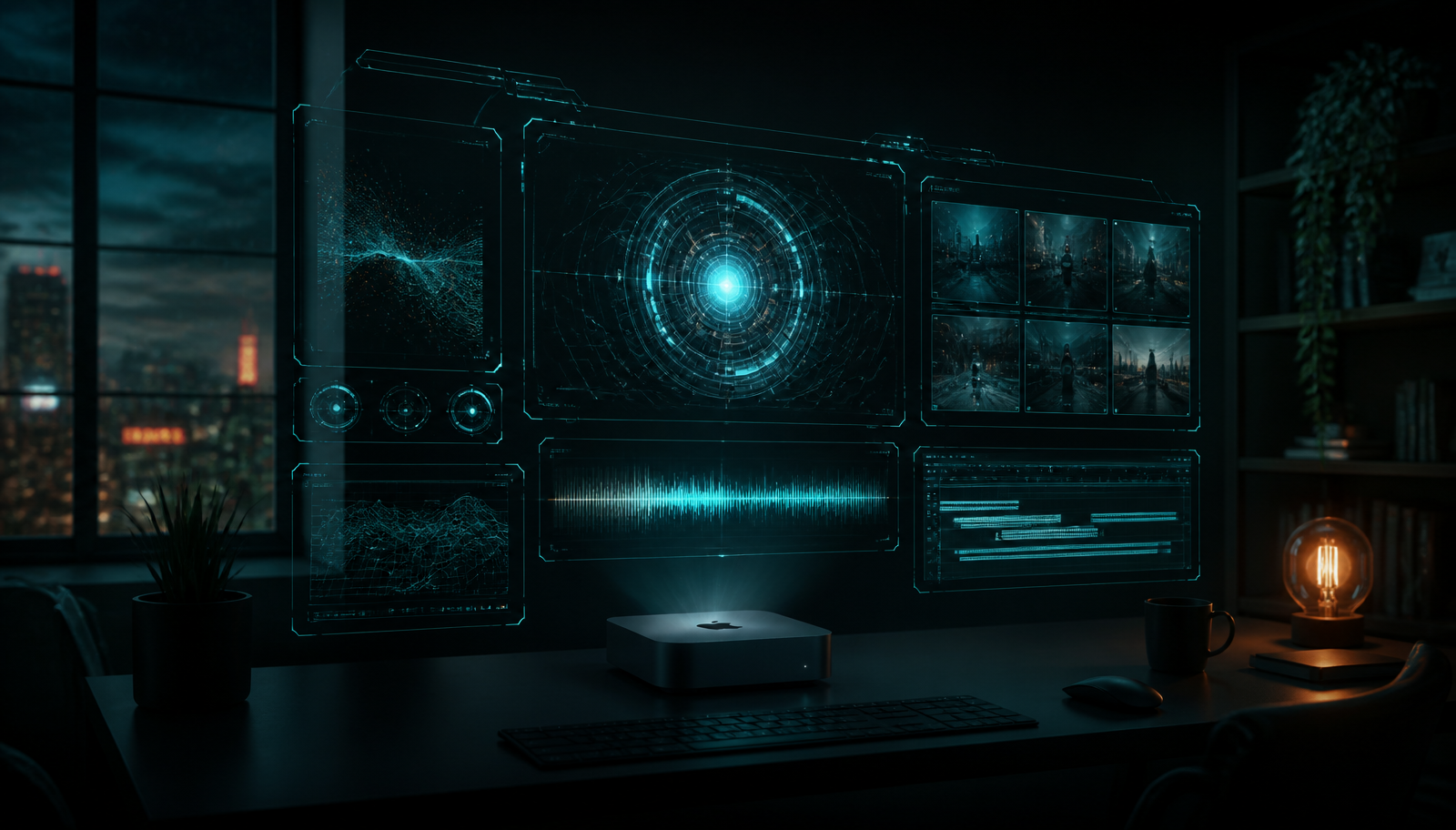
Most smart-home setups end up as a pile of apps, scripts and cloud dashboards that never quite agree with each other. I wanted the opposite: one screen, one voice, one system that answers when I walk in the door. So I built it — a local command deck that runs on an always-on Mac mini at home, listens for a wake phrase, and speaks back without shipping a single second of audio or video to someone else's inference cluster.
The product name in the interface and in the logs is always JARVIS, because if you are going to build a home assistant you may as well commit to the fantasy. What follows is how it actually works, what broke along the way, and which parts turned out to matter far more than the ones I expected.
The four things it had to do
- Walk in, say a wake phrase, get a spoken reply within a couple of seconds.
- Show system health, voice pipeline state and home device status on one screen.
- Deliver a daily security briefing from the outdoor cameras — spoken aloud and mirrored on screen with real clip playback.
- Keep it private: wake word, transcription, reasoning and speech synthesis all on-device, with credentials in local config and never in git.
That last constraint is the one that shaped everything else. Once you decide inference happens locally, you stop designing around API latency and start designing around a small model's very real limitations. More on that later, because it is the most interesting engineering problem in the whole project.
The shape of the system
There are two processes. A dashboard — a TanStack Start and Vite app that renders the heads-up display and owns all the integrations — and a Python voice service that owns the microphone and the speakers. They talk over plain HTTP on the loopback interface. Nothing binds to 0.0.0.0. Nothing is reachable from the network.
1Mac mini (always-on, macOS)2 3 [ hub UI ] <---- HTTP poll ----> [ voice core ]4 React + Vite Python service5 HUD panels wake -> VAD -> STT -> LLM -> TTS6 camera + climate + host APIs local speech models7 local event cache mic / speaker selection8 9 everything bound to 127.0.0.1The dashboard polls the voice service for state — is it idle, listening, thinking or speaking — and the voice service calls back into the dashboard when it needs data that the dashboard already owns, like a composed camera briefing. One dev command starts both, frees any stuck ports, and restarts the Python side whenever its source or config changes.

The interface is a terminal fantasy on purpose
Before the dashboard is usable there is a gate. It shows subsystem readiness and waits. The unlock path is voice-first — you speak, the voice service confirms, the deck loads — rather than a password field bolted onto a wall display. It is theatre, but it is useful theatre: it makes the boundary between 'the machine is listening' and 'the machine is showing me everything' explicit.
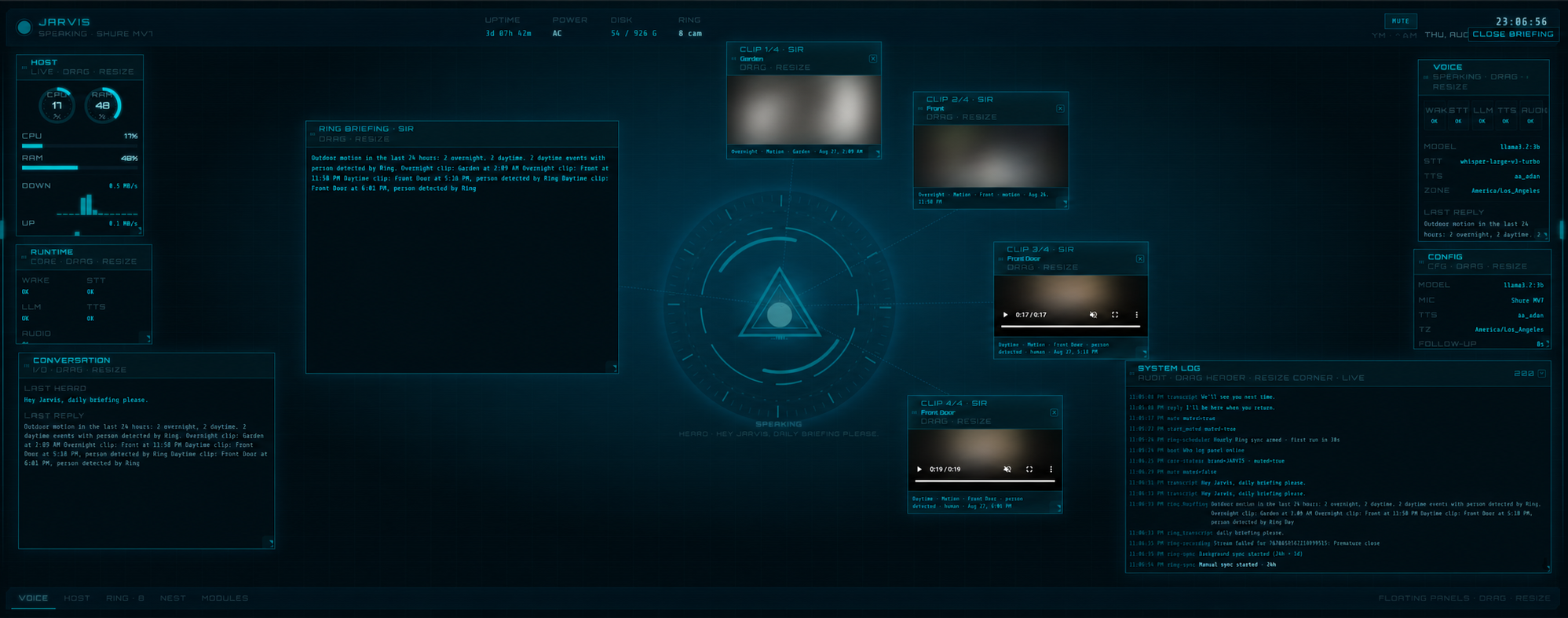
Once unlocked you get the deck. Cyan primary glow, scanline overlays during a briefing, monospace labels, corner brackets on every panel. Every module — host telemetry, voice state, cameras, climate, logs — is a floating panel you can drag, resize and rearrange, with the layout persisted between sessions. At the centre sits a reactor visualisation that pulses while speech is playing.
The one rule that keeps it from becoming a generic window manager: panels track occupancy. When new briefing panels deploy, they compute a layout that avoids the reactor and the panels you already placed. Nothing lands on top of anything else.
The voice loop
The Python side is a small state machine, and describing it out loud is the fastest way to understand the whole product.
1IDLE wake listening (unless muted)2 | wake phrase matched3LISTENING voice activity detection captures until silence4THINKING transcribe, then route to a handler or the model5SPEAKING synthesize and play6FOLLOW_UP short window where you can speak without re-waking7 |8IDLE| Stage | How it runs locally |
|---|---|
| Wake | Keyword matching with fuzzy aliases, tolerant of mishears |
| Transcription | A Whisper model running on Apple Silicon acceleration |
| Reasoning | A small local chat model served on the same machine |
| Speech | A compact local text-to-speech model |
Wake-word matching turned out to be the first place where reality punched the design in the face. Speech-to-text does not hear 'Jarvis'. It hears 'Jaris'. It hears 'Javis'. It hears things I will not repeat. So the wake matcher is deliberately fuzzy and alias-driven, and the wake phrases are configurable without ever changing the assistant's identity in the UI.
The interesting problem: small models lie confidently
A small local model is astonishingly good at conversation and astonishingly willing to invent facts. Ask it what is on your calendar today and it will cheerfully produce a schedule. A plausible one. A completely fictional one. In a chat window that is amusing. Spoken aloud by a confident voice in your kitchen, it is a genuine product defect.
So there are deterministic short-circuits in front of every model call. Calendar and schedule questions get an explicit, honest refusal — no model involved. Time and date questions are answered from the configured timezone, not from model weights. The system prompt reinforces the same boundaries as a second layer, but the short-circuits are what actually guarantee the behaviour.
The same principle killed the most impressive-looking feature in the early build.
The camera briefing, and why I removed the AI from it
The centrepiece is the daily briefing. Say the phrase, and JARVIS tells you what happened outside in the last twenty-four hours while the matching clips deploy across the screen and play.
The first version had the local model summarise the camera events. It read beautifully. It also occasionally described footage it had never seen and drifted into language like 'suspicious activity' about a delivery driver. That is not a rough edge, that is the system making things up about footage it never processed.
The rewrite made the briefing text fully deterministic, composed from camera metadata and nothing else: overnight and daytime event counts, camera name, local time, and 'person detected' only when the camera's own detection flag says so. No narration of video content. No assessment. No speculation. The voice service does not generate the briefing at all — it fetches the pre-composed text from the dashboard and speaks it.
The briefing got less impressive and far more useful the moment it stopped being written by a language model.
Choosing which clips to show
Indoor cameras are excluded entirely unless explicitly allowlisted, enforced at three separate layers: the clip picker, the event store and the stream handler. A camera pointing inside the house should never be one bug away from appearing on a wall display.
For the remaining outdoor events, a simple day/night model buckets everything by local hour — night runs from ten in the evening to six in the morning. The picker then selects three night clips and two day clips, ranked by the camera's own review score, person detection and whether a recording is actually ready. A flat 'top five' list always collapsed into five near-identical clips from one busy hour; the split guarantees the briefing actually covers the night.
Getting video to play at all
Camera recording URLs are slow and frequently blocked when a browser fetches them directly. The fix was a small same-origin proxy in the dashboard: the video elements point at a local endpoint, and the dashboard pipes the stream through. The player also retries alternate event IDs when a recording is not ready yet, which happens more often than you would like.
The polish nobody sees
The briefing presentation took more iterations than the entire voice pipeline. A list of things that are invisible when they work:
- Clip panels overlapped whenever the speech panel grew, because the layout recalculated on every height change. Fix: lock the clip slots when the briefing opens and only redraw the tether lines afterwards.
- 3D entrance animations looked spectacular for about a day and caused visible overlap during deploy. Replaced with a plain opacity fade that matches the speech panel.
- Five video streams starting simultaneously stalled all five. Now they mount sequentially with small randomised gaps so they load as a cascade.
- On a short display, all five clips clamped to the same vertical position. The column now computes equal clip heights that fit the viewport, with a floor and a ceiling.
- If a briefing phrase is recognised while the deck is still locked, the intent is stashed so the briefing fires right after unlock instead of making you repeat yourself.
None of that appears on a feature list. All of it is the difference between a demo and something you actually use every morning.
What I would tell you before you start
- Local-first is genuinely achievable now. Speech-to-text and text-to-speech on Apple Silicon are fast enough for conversational latency on a machine you already own.
- Budget most of your effort for the guardrails, not the pipeline. Wiring wake to transcription to model to speech is a weekend. Making it never lie to you is the actual project.
- Deterministic beats generated for anything factual. Reserve the model for the parts where language is the product.
- Keep credentials out of the repository and out of files your dev server watches — rotating tokens written into a watched env file will restart your build at the worst possible moment.
- Test the boring things. Fuzzy wake matching, intent classification and the refusal paths are the parts that break silently.
Where it goes next
The voice loop and the dashboard are working. Next up is barge-in — interrupting the assistant mid-sentence — and the harder audio edge cases that come with a room full of noise. After that: broader home integrations, controlling the host machine by voice, and secure remote access so the deck is reachable when I am not standing in front of it.
But the core stays the same. One always-on machine in the garage, bound to localhost, listening only when I ask it to. A home assistant should not require turning your house into someone else's microphone.
Models and libraries used
Everything below runs locally on the Mac mini. No inference leaves the house.
| Purpose | Model / Library | Source |
|---|---|---|
| Speech-to-text | mlx-whisper | ml-explore/mlx-whisper on GitHub |
| Text-to-speech | mlx-audio | ml-explore/mlx-audio on GitHub |
| Voice | Kokoro | hexgrad/Kokoro-82M on Hugging Face |
| Voice activity detection | webrtcvad-wheels | wiseman/py-webrtcvad on GitHub |
| Outdoor event filtering + briefing summary | Outdoor label filter + Llama 3.x | Meta Llama 3 |