


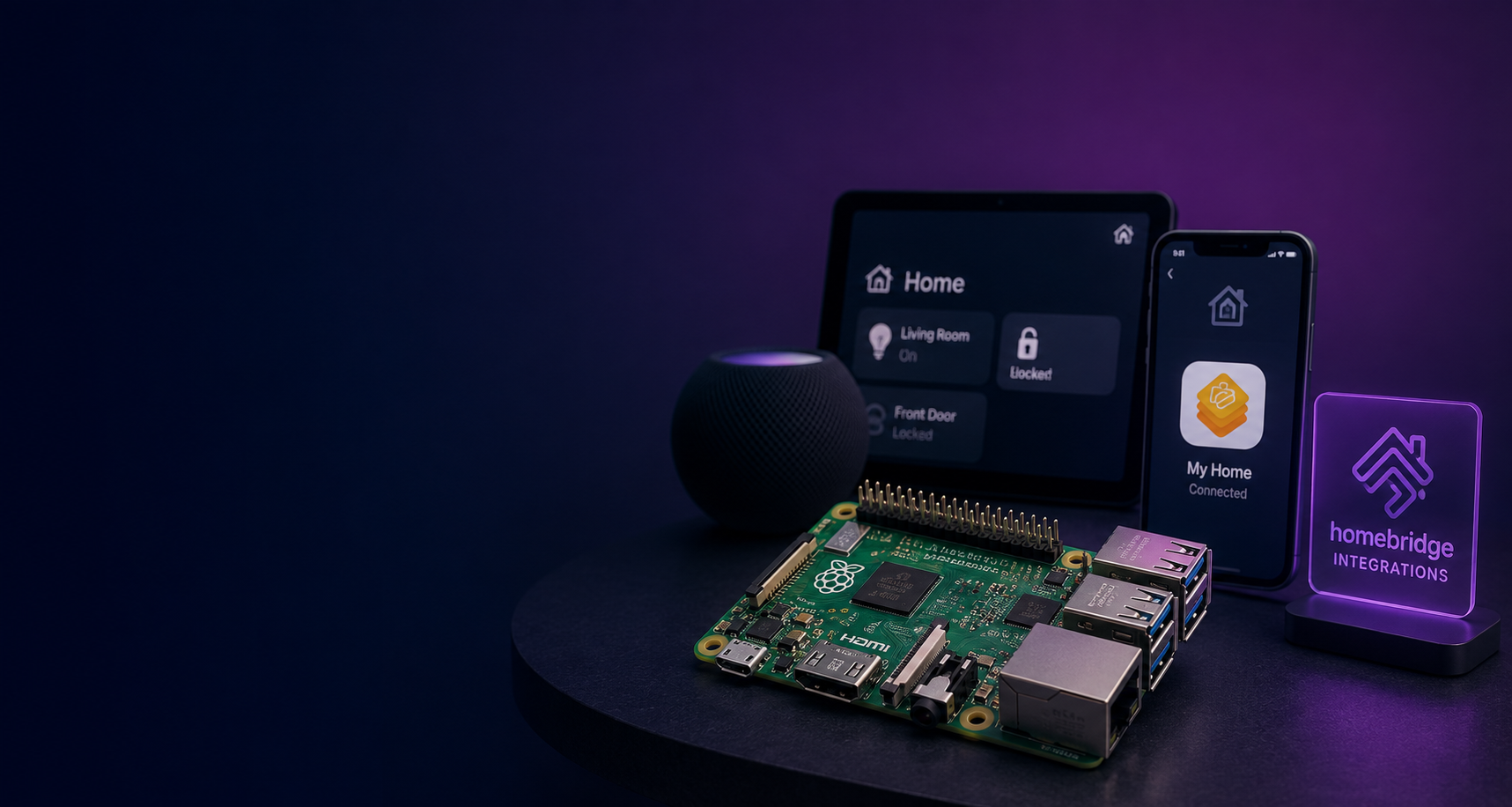
There is a tiny computer in my house whose main job is convincing devices from completely different companies that they should all get along.
My Ring devices. A few smart light switches. Dyson air purifiers. A Google Nest thermostat. My Rain Bird sprinkler system.
None of these products were purchased because they belonged to one beautifully coordinated smart-home ecosystem. They were purchased because, individually, they were the products I wanted.
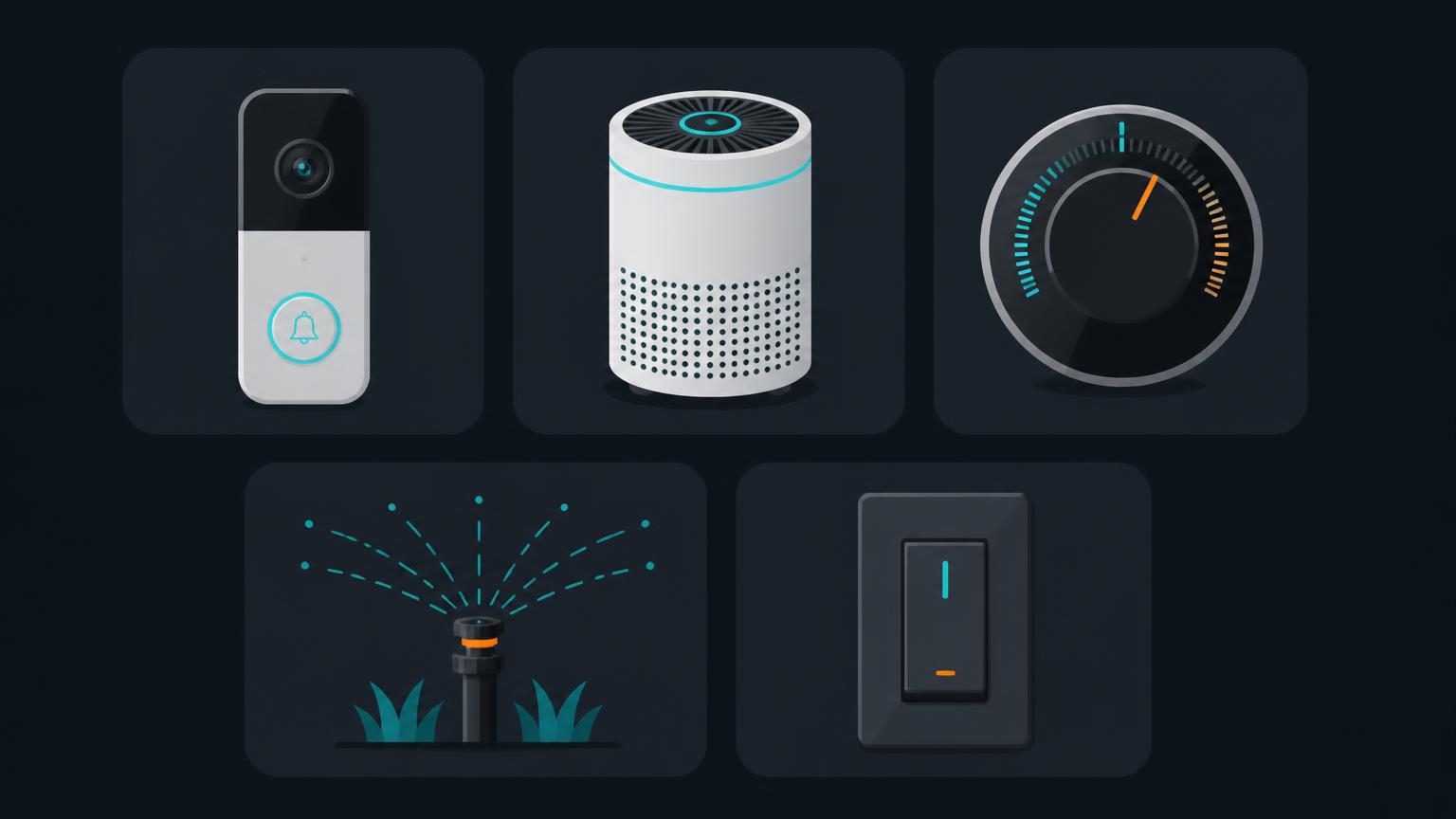
That creates the fundamental problem with the smart home. You don't buy a smart home. You accumulate one.
And eventually you end up with five apps, three ecosystems, devices that work with Alexa but not Apple Home, devices that work with Google Home but not HomeKit, and one particularly stubborn sprinkler controller that wants absolutely nothing to do with any of them.
My solution has been running quietly in the background for years: a Raspberry Pi running Homebridge.
And while a new standard called Matter is slowly changing the entire smart-home landscape, I actually think Homebridge is more interesting today than it was a few years ago. Not because Matter failed — quite the opposite. Homebridge is becoming the bridge between the smart home we already own and the smart home Matter is trying to create.
First: what Homebridge actually does
Homebridge is an open-source server that runs on your local network. Its original trick is beautifully simple: it implements Apple's HomeKit Accessory Protocol and lets plugins translate devices that don't officially support HomeKit into accessories that Apple Home understands.
1Ring2Dyson3Nest4Rain Bird5Smart switches6Other weird IoT things7 |8 | vendor APIs / local protocols9 v10 HOMEBRIDGE11 |12 | HomeKit13 v14 Apple Home15 |16 +-- iPhone17 +-- Apple Watch18 +-- Siri19 +-- HomePod20 +-- Apple TVHomebridge itself is lightweight. The intelligence comes from plugins written by the community. A Ring plugin understands Ring. A Rain Bird plugin understands Rain Bird. Homebridge translates what those plugins discover into standardized accessories that your smart-home platform can understand.
The official project describes it as a lightweight Node.js server that acts as a bridge between HomeKit and third-party device APIs. Homebridge 2 takes that concept further by adding optional Matter support as well.
Homebridge official websiteInstallation guides for every supported platformThe important part is that Homebridge doesn't need to be powerful. It needs to be available — twenty-four hours a day. That's where the Raspberry Pi comes in.
Why a Raspberry Pi?
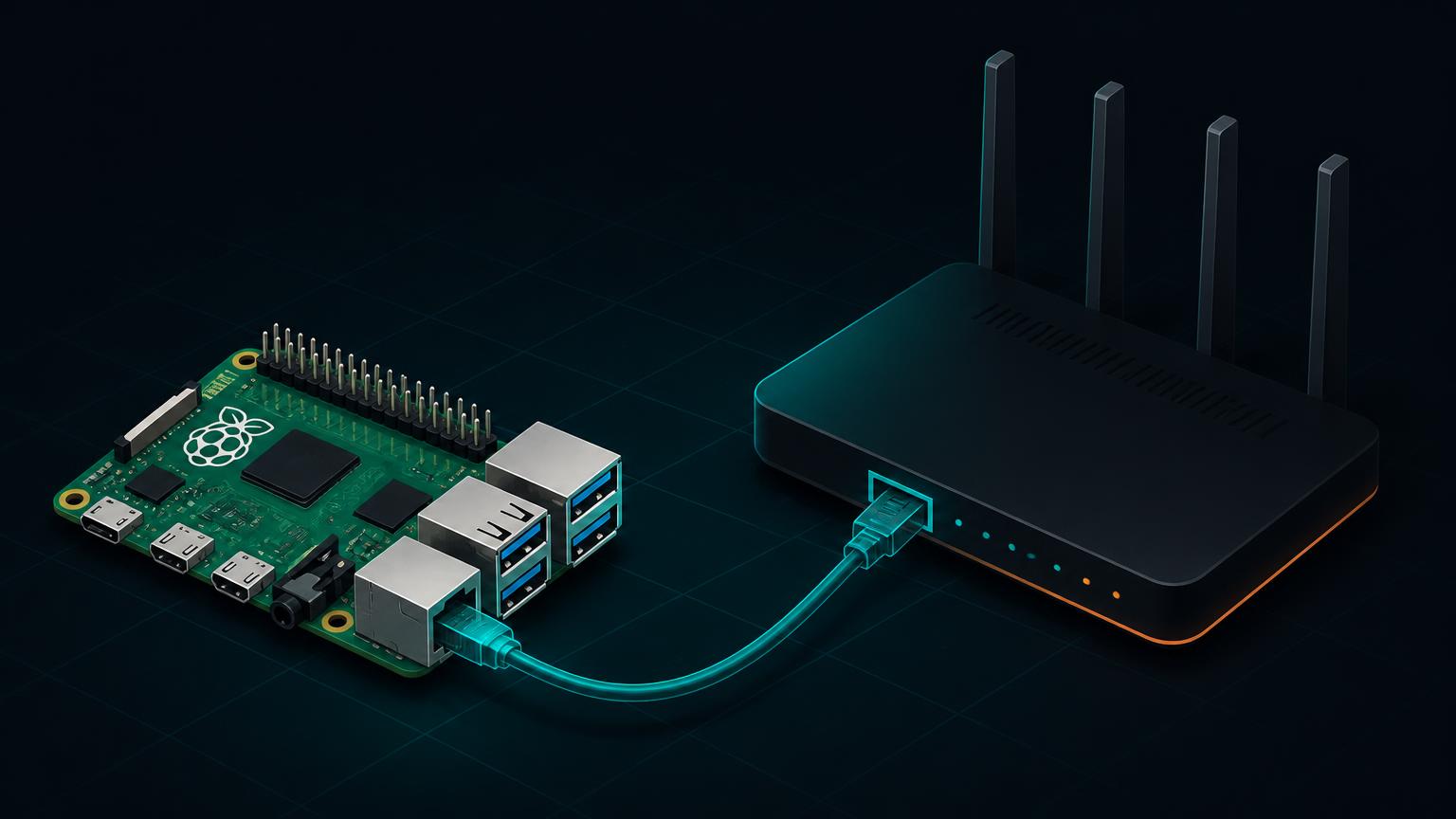
You technically don't need one. Homebridge can run on Linux, macOS, Windows, Docker, a NAS and several other platforms. But a Raspberry Pi is almost perfect for this job.
It is small. It barely uses electricity. It doesn't need a screen. It can sit next to your router indefinitely. And because it is an actual Linux computer rather than some proprietary smart-home bridge, you still have full control over it.
More importantly, Homebridge publishes an official Raspberry Pi image with Homebridge and its web interface already installed. That means the Pi becomes an appliance. Turn it on. Forget about it. Until six months later when Ring changes an API and you suddenly remember the little green computer hiding next to your networking equipment.
What I would buy today
You do not need a Raspberry Pi 5 specifically for Homebridge. Even relatively old Pis are supported. For a new installation, however, I'd use a Raspberry Pi 4 or Raspberry Pi 5, preferably with Ethernet. Two gigabytes of RAM is already plenty for a normal Homebridge installation.
| Component | Recommendation |
|---|---|
| Raspberry Pi | Pi 4 or Pi 5 |
| Memory | 2 GB+ is enough |
| Storage | Quality microSD card, 16-32 GB+ |
| Networking | Ethernet if possible |
| Power | Proper Raspberry Pi power supply |
| Case | Any ventilated case |
| Optional | Small SSD instead of microSD for maximum longevity |
The official Homebridge image supports Pi 2 and newer compatible models, but the project currently recommends its 64-bit image for supported modern Pis. The 32-bit image is approaching end of support in 2027.
HomeKit, Homebridge, Matter and Thread are not the same thing
Before installing anything, it is worth untangling four terms that frequently get mixed together.
| Technology | What it actually is |
|---|---|
| Apple Home / HomeKit | Apple's smart-home ecosystem and accessory framework |
| Homebridge | Community software that translates unsupported devices into HomeKit — and now potentially Matter |
| Matter | An open interoperability standard for smart-home devices |
| Thread | A low-power IPv6 mesh networking technology that Matter can use |
Matter is not a radio. A Matter device can communicate over Wi-Fi, Ethernet or Thread, while Bluetooth Low Energy can be used during commissioning and setup.
That distinction matters because you will frequently see products advertised as “Matter over Thread”. That means Matter defines how the device communicates at the application level, while Thread handles the underlying network. Other Matter products simply use Wi-Fi.
Why Matter is the thing to watch
The old smart-home model looked like this:
1DEVICE2 |3Manufacturer's proprietary protocol4 |5Manufacturer's cloud6 |7Manufacturer's integration8 |9Apple / Google / AlexaEvery manufacturer had to integrate with every ecosystem. And every ecosystem had to understand every manufacturer. Matter's ambition is different:
1DEVICE2 |3 Matter4 |5 +--------+--------+---------+-------------+6Apple Google Alexa SmartThings ...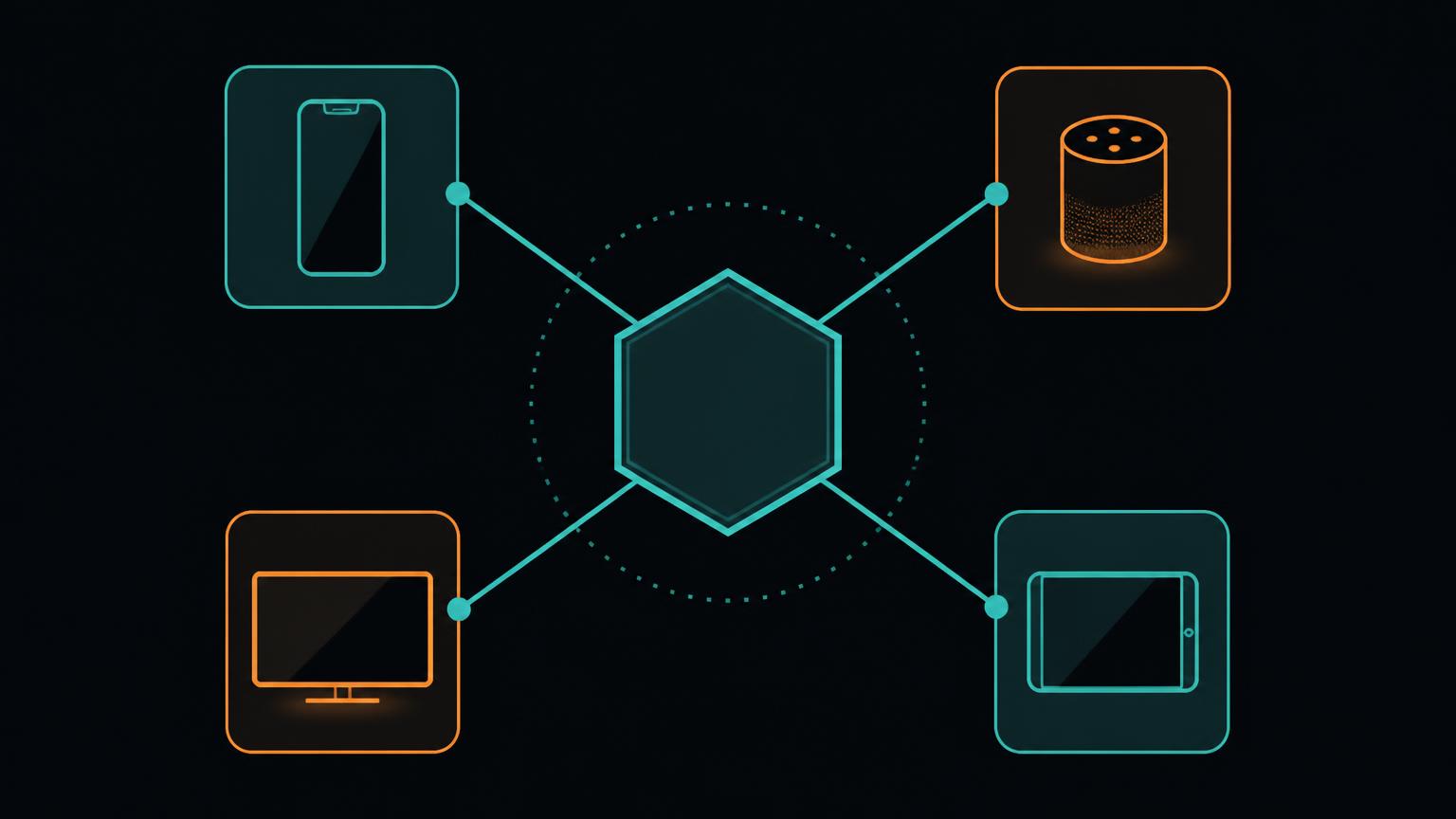
The Connectivity Standards Alliance describes Matter as an interoperable smart-home standard built around existing IP networking technologies. Google describes the same goal as allowing a device to work across Matter-certified ecosystems using a single protocol. Apple's Home app supports Matter devices alongside traditional HomeKit accessories, and Amazon supports local Matter connections to Alexa including Matter's multi-admin functionality, which allows the same device to participate in multiple ecosystems.
Connectivity Standards Alliance: What is Matter?This is the smart-home future I actually want. I shouldn't have to ask whether a light switch works with Apple Home. I should be able to ask whether it supports Matter — and then decide whether I want to control it from Apple Home, Google Home, Alexa, or several of them at once.
Matter is also moving surprisingly fast now
The early Matter releases were easy to dismiss because device support was limited. That argument is becoming harder to make.
Matter 1.5, released in November 2025, added one particularly important missing category: cameras. It also added closures, soil sensors and expanded energy-management functionality, with camera support covering live video and audio using WebRTC plus two-way communication. Matter 1.5.1 followed in March 2026 with additional camera and doorbell improvements. And in June 2026, the Connectivity Standards Alliance released Matter 1.6, focusing heavily on easier commissioning, better multi-ecosystem experiences and richer device behavior.
What's new in Matter 1.6That doesn't mean every Ring camera suddenly speaks Matter. The specification supporting cameras and an individual manufacturer implementing it are two very different things. But the direction is becoming obvious.
So does Matter make Homebridge obsolete?
Eventually, Matter should make some uses of Homebridge unnecessary. That's a good thing. If I buy a light switch tomorrow that provides excellent native Matter support, I don't want to run it through another translation layer simply because I can. I'd connect it directly.
1 +-------------+2Matter device -->| |3Matter device -->| Apple Home |4HomeKit device ->| |5 +------^------+6 |7 HomeKit/Matter8 |9 +------+------+10 | Homebridge |11 | Raspberry Pi|12 +------^------+13 |14 proprietary / legacy15 |16 +--------+-------+------+---------+17 Ring Dyson Nest RainBird etc.Native first. Bridge second.
Homebridge becomes the compatibility layer for everything your house accumulated before Matter — or everything manufacturers haven't upgraded yet. And there are going to be millions upon millions of those devices around for a very long time.
Homebridge 2 makes this even more interesting
There is another twist. Homebridge 2 can itself expose supported accessories using Matter. That means Homebridge is no longer fundamentally tied to Apple Home. Plugins can theoretically expose accessories to Matter-capable controllers including Apple Home, Google Home, Alexa and SmartThings.
1Legacy device2 |3 v4Homebridge plugin5 |6 v7 Homebridge8 |9 Matter10 |11 +---+--------+----------+12 v v v v13Apple Google Alexa SmartThingsThere are two important caveats. First, Matter support is plugin-dependent: Homebridge 2 having a Matter implementation does not magically turn every existing plugin into a Matter accessory. Second, Homebridge's Matter implementation is community-based and not certified by the Connectivity Standards Alliance, so Matter controllers may display Homebridge bridges as uncertified accessories.
So I wouldn't rebuild a stable smart home around this overnight. But architecturally? This is extremely interesting.
Let's actually build it
Enough theory. Here is how I would build a Homebridge server from scratch today.
Step 1: Install Raspberry Pi Imager
Download the official Raspberry Pi Imager, insert your microSD card into your computer and launch it. The official Homebridge image is available directly inside Raspberry Pi Imager.
1Choose Device -> No filtering2Choose OS -> Other specific purpose OS3 -> Home assistants and home automation4 -> HomebridgeFor a compatible modern Pi, select the recommended 64-bit Homebridge image. That is significantly nicer than hunting for random .img files on the internet.
Official Homebridge Raspberry Pi getting-started guideStep 2: Flash the card
Select your microSD card as storage and write the image. Raspberry Pi Imager may offer OS customization. Homebridge's current default instructions have you skip those customizations and create a local administrator during first boot, which requires connecting a keyboard and monitor. If you're comfortable configuring a Pi headlessly, you can instead use Imager's customization options to create your user credentials and enable SSH.
- Eject the card
- Insert it into the Raspberry Pi
- Connect Ethernet if available
- Connect power
- Complete the initial local account setup if required
Ethernet isn't mandatory. I just strongly prefer it for infrastructure. A smart-home bridge is something I want to behave more like a router than a laptop.
Step 3: Find Homebridge
On a Mac, iPhone or other device that supports local .local hostnames, try:
http://homebridge.localThe official image exposes a web-based management interface where you can install plugins, edit configuration, monitor resources and inspect logs. If homebridge.local doesn't resolve, look at the DHCP client list in your router, find the Raspberry Pi's IP address and open it directly. On a manual Raspberry Pi OS installation rather than the dedicated Homebridge image, the standard UI is normally exposed on port 8581:
http://192.168.1.50:8581Step 4: Give the Raspberry Pi a predictable IP
This is one of those boring steps that saves future-you from unnecessary debugging. Open your router and create a DHCP reservation for the Raspberry Pi.
192.168.1.50 -> HomebridgeDon't manually hard-code random network settings on the Pi unless you have a reason to. Let your router manage DHCP and simply make sure the same MAC address receives the same IP each time. Homebridge and many plugins discover devices using local networking, and predictability helps.
Step 5: Pair Homebridge with Apple Home
Open the Homebridge dashboard. You should see a HomeKit QR code. On your iPhone:
1Home2-> Add Accessory3-> Scan the Homebridge QR codeHomebridge will then appear as a bridge inside Apple Home. Initially, very little will happen. That's expected — the bridge becomes useful when we start installing plugins.
Plugins are where Homebridge becomes powerful
Open Homebridge → Plugins and search for your device manufacturer. A useful rule before installing anything: don't blindly install the first plugin whose name looks right. Homebridge plugins are community software.
Look for recent updates, active GitHub development, sensible documentation, issue activity and — where available — Homebridge's Verified badge. Verified plugins have been reviewed against a set of project requirements designed to encourage maintainable and predictable behavior.
Homebridge Verified Plugins documentationRing + Homebridge
Ring is probably one of the best demonstrations of why Homebridge exists. With the community homebridge-ring integration, Ring doorbells, cameras, alarm components and smart-lighting devices can be presented to HomeKit. The project remains active, with development continuing into 2026.
homebridge-ring on npmInstall it through the Homebridge Plugins screen rather than manually installing npm packages unless you have a specific reason not to. Authentication normally involves Ring credentials and tokens generated through the plugin's setup process.
And this is where we need to talk about one of Homebridge's tradeoffs. The plugin doesn't magically make Ring open — it translates Ring's APIs. If Ring changes authentication, an API endpoint or some server-side behavior, the plugin may temporarily break until its maintainers adapt. That has happened before.
Local standardized protocol > reverse-engineered cloud API. Whenever you have the choice.
Smart light switches
Light switches are an interesting category because there are now three generations of smart-home thinking living side by side.
1Old proprietary Wi-Fi switch2 v3Homebridge plugin4 5Native HomeKit switch6 v7Apple Home directly8 9Matter switch10 v11Apple / Google / Alexa directlyIf a new switch supports Matter well, I'd use Matter. If it has excellent native HomeKit support, I'd use that. If it has neither — but has a mature Homebridge integration — Homebridge is the fallback. TP-Link/Kasa is one example of the kind of ecosystem for which Homebridge plugins have historically provided local smart-switch integration.
Example: TP-Link/Kasa Homebridge pluginThe important lesson isn't “buy Kasa.” It's: prefer plugins that can communicate locally with the switch rather than sending every light command through somebody else's cloud. Turning on your kitchen light should not require a round trip to a data center.
Dyson + Homebridge
Dyson is another great example. Depending on the purifier or fan model and the plugin you use, Homebridge can expose functionality such as:
- Fan power and speed
- Oscillation
- Automatic mode
- Temperature
- Humidity
- Air quality
- Filter status
- Heating controls on compatible devices
- Humidification controls on compatible devices
The homebridge-dyson-pure-cool ecosystem continues to receive updates, although — as with any community integration — you should check which fork or plugin currently supports your exact Dyson model before installing.
homebridge-dyson-pure-cool on npmThat turns a surprisingly isolated appliance into something that can participate in whole-home automation. Instead of opening the Dyson app, selecting the purifier and changing settings, you can build automations around actual conditions:
1If air quality becomes poor2AND someone is home3THEN turn purifier onOr simply: “Hey Siri, turn on the bedroom fan.” That's the moment Homebridge stops feeling like a nerd project and starts feeling like infrastructure.
Google Nest thermostat + Homebridge
Google Nest is slightly different because Google's ecosystem has changed considerably over time. The longstanding homebridge-nest plugin supports Nest thermostats and other supported Nest devices, including Google-account-based setups.
homebridge-nest on npmThe catch is authentication. Google has changed Nest authentication over the years, and the plugin's Google-account setup currently relies on browser-derived authentication information rather than an especially elegant official consumer integration flow. That makes this exactly the sort of integration I expect Matter to improve over time. Native Matter first. Homebridge when necessary.
Rain Bird: one of my favorite examples
Sprinklers are exactly the sort of device where smart-home interoperability gets weird. Rain Bird has its own controller, its own Wi-Fi module and its own app. That's completely fine until you want irrigation to participate in the rest of your house.
The modern @homebridge-plugins/homebridge-rainbird plugin integrates compatible Rain Bird controllers with Homebridge and communicates with them locally over the network, without requiring the cloud. It can expose irrigation zones, program switches, valves, stop controls, delays and rain-sensor information depending on configuration and controller capabilities.
Homebridge Rain Bird plugin1Apple Home2 |3Homebridge4 |5local network6 |7Rain Bird controller8 |9sprinkler zonesSupported controllers include units using Rain Bird's LNK WiFi modules, including several ESP-series controllers. No remote cloud service is required for the Homebridge-to-controller hop. This is my favorite kind of Homebridge integration.
Use Child Bridges
Once you have several plugins installed, I recommend enabling Child Bridges for larger integrations. Instead of everything sharing one process, you effectively isolate them:
1Homebridge2 |3 +-- Ring child bridge4 +-- Nest child bridge5 +-- Dyson child bridge6 +-- Rain Bird child bridgeWhy? Because plugins are code, and code breaks. If one plugin crashes, I don't want it taking the rest of the smart home down with it. Homebridge's Child Bridge system runs a plugin in an isolated process: a failing child can restart without taking down the main bridge, and slow plugins are less likely to delay everything else.
Child bridges can be enabled from the plugin's Homebridge UI settings. Once created, you pair that child bridge with Apple Home using its own QR code. For anything substantial — Ring in particular — I use this architecture.
Homebridge Child Bridges documentationMy rule: local whenever possible
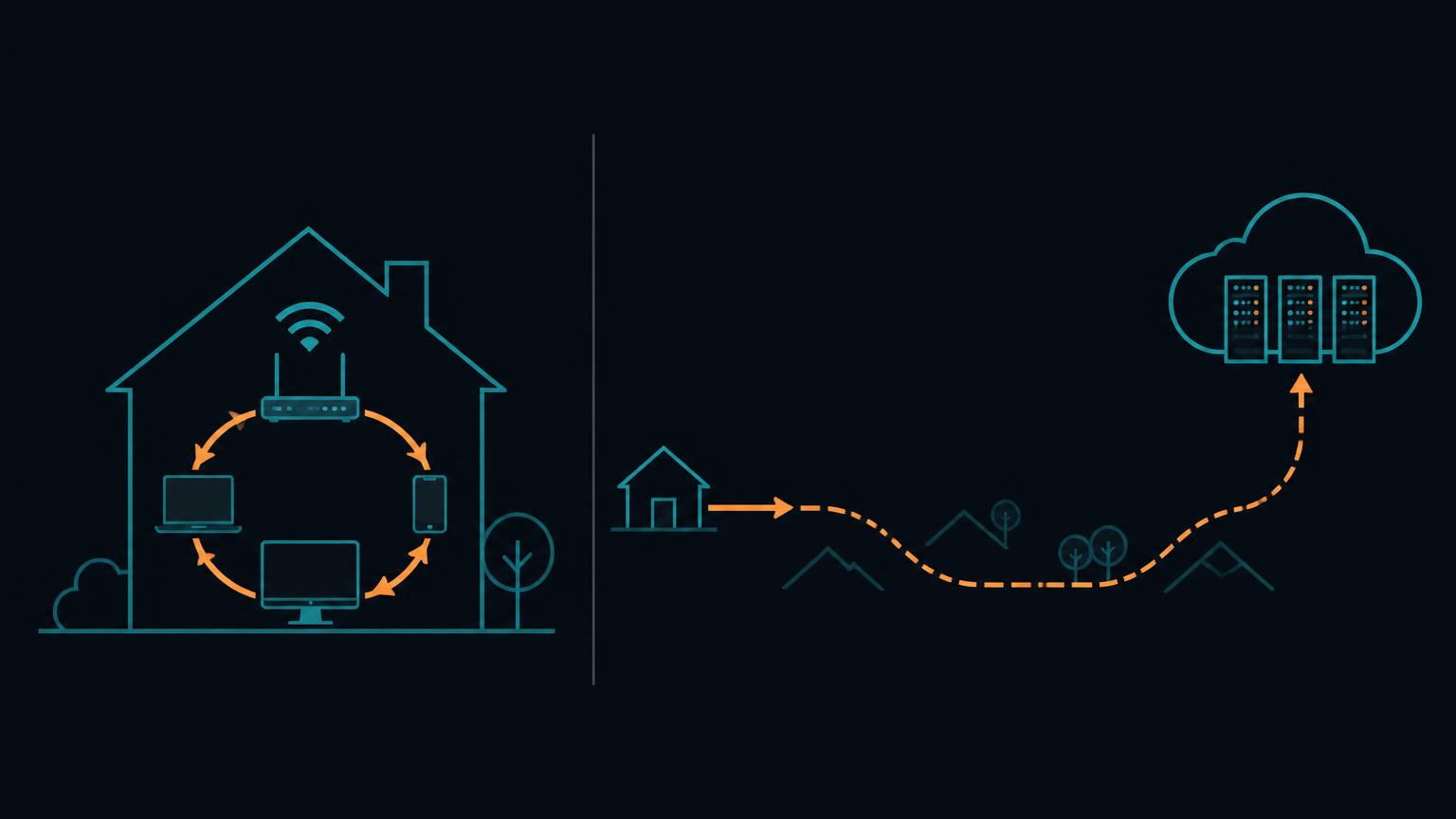
There are fundamentally two kinds of Homebridge integrations: cloud integrations that hop through the internet and a vendor cloud to reach the device, and local integrations that talk to the device over your LAN. I will choose the second one every time it's available.
Local integrations generally give you better latency and remove one external dependency. They also make the smart home behave more like actual home infrastructure. Your physical light switch doesn't stop functioning because somebody's cloud account had an outage. Your smart light switch shouldn't either.
Matter follows this same philosophy. Google explicitly highlights Matter's local connectivity path as a source of lower latency and improved reliability compared with cloud-to-cloud integrations, and Amazon similarly describes local Matter control as reducing latency and improving reliability. This is one of the main reasons I'm bullish on Matter.
What about remote access?
Do not solve remote access by port-forwarding Homebridge's web interface onto the public internet. You shouldn't need to. If you're using Apple Home, remote smart-home control should flow through your Apple home hub — such as a supported Apple TV or HomePod — not through some random exposed port pointing at your Raspberry Pi.
1You away from home2 v3Apple infrastructure4 v5Apple TV / HomePod6 v7Apple Home8 v9HomebridgeNot: internet -> port 8581 -> Raspberry Pi. Please don't do the second one.
Secure the boring parts
Homebridge may control doorbells, alarm systems, thermostats, cameras and other physical infrastructure. Treat it accordingly.
- Change default passwords
- Keep the Pi updated
- Keep Homebridge updated
- Keep plugins updated
- Don't expose its management interface directly to the internet
- Be careful with plugins that request authentication cookies, refresh tokens or other credentials
And remember that your Homebridge configuration and backups may contain secrets. Don't upload your complete config.json to a public GitHub issue because a plugin isn't working. If you need help, sanitize credentials first.
Back it up
This is one of the highest-value things you can do after everything works. Homebridge's UI includes backup and restore functionality. Take a backup after your setup is stable. Take another one before major upgrades. Keep a copy somewhere other than the microSD card running Homebridge.
The reason is simple: microSD cards die. And when yours eventually does, the difference between “my entire Homebridge environment died” and “I need to reflash an SD card and restore a backup” is enormous.
Updating Homebridge
If you're using the official Homebridge installation, updates can largely be handled through the UI. On a Raspberry Pi OS installation using the Homebridge repository, the official command-line update path is:
1sudo apt-get update2sudo apt-get install homebridgeThe Homebridge package can also manage its bundled Node.js runtime. Don't randomly upgrade Node independently because a blog from 2022 told you to. Plugins frequently depend on specific supported Node versions — let Homebridge tell you what it expects.
Troubleshooting: where I look first
When something breaks, don't immediately delete Homebridge and start over. Start with the boundaries.
Device works in manufacturer app, but not Homebridge
The plugin is your likely problem. Check Homebridge → Logs, then look at the plugin's GitHub issues or npm page. Authentication failures are particularly common with cloud-backed integrations.
Device fails in Homebridge and manufacturer app
It's probably not Homebridge. Check the device, local network or manufacturer's service.
Everything in Homebridge fails at once
Think infrastructure: Raspberry Pi, network, Homebridge service, mDNS, router, Apple home hub.
Homebridge works but Apple Home says “No Response”
Check that your Pi and Apple home infrastructure can communicate locally. HomeKit and Matter both rely heavily on local discovery, and Homebridge's Matter implementation specifically requires working local IP networking, mDNS and IPv6 between the bridge and controller. Also try the traditional infrastructure fix: restart the affected accessory, restart its bridge, and restart the Apple home hub if necessary.
Don't put everything behind Homebridge just because you can
This is probably the biggest architectural lesson I've learned. Homebridge is not supposed to become another proprietary ecosystem. It's an adapter. So when I add something new to the house, my decision tree is increasingly:
1Does it support Matter well?2 |3 YES -+- NO4 | |5Direct Does it support native HomeKit well?6Matter |7 YES -+- NO8 | |9 Direct Mature Homebridge10 HomeKit plugin?11 |12 YES -+- NO13 | |14 Homebridge Think twiceEvery bridge you remove is one fewer dependency. Every cloud API you remove is another dependency gone. Every proprietary integration replaced by a standard local protocol makes the smart home slightly less fragile.
But don't throw away perfectly good devices either
Matter is exciting. It is not exciting enough for me to replace thousands of dollars of hardware that already works. My Ring setup doesn't suddenly become garbage because a future doorbell may support Matter. My Dyson doesn't need to go into a landfill because its protocol isn't the future. My irrigation controller does not need to understand the Connectivity Standards Alliance.
Homebridge lets the installed base survive while the industry transitions. That's why the Raspberry Pi still matters.
The Raspberry Pi is basically my smart-home translation server
There is a tendency to think of smart homes as collections of devices. I increasingly think of mine as a collection of protocols. Ring speaks Ring. Dyson speaks Dyson. Rain Bird speaks Rain Bird. Apple speaks HomeKit. New devices increasingly speak Matter.
Homebridge is the translator sitting in the middle. And the Raspberry Pi is simply the cheap little computer that makes sure the translator never goes home. That's the entire architecture.
Where I think this goes next
I don't think Homebridge disappears. I think its role changes. Five years ago, Homebridge's mission felt like “make unsupported devices work with Apple Home.” Its future looks more like “make existing devices participate in an increasingly standardized smart home.”
Homebridge 2's optional Matter support is evidence that the project itself is moving in that direction. Imagine an old smart device that was built years before Matter existed:
12019 smart device2 |3old proprietary API4 |5Homebridge plugin6 |7Homebridge 28 |9Matter10 |11+-----+-----+-----------+12Apple Google Alexa SmartThingsThat is an extremely elegant way to extend the useful life of hardware.
If I were starting a smart home today
- I would still build the Raspberry Pi
- For new devices, prioritize good native Matter implementations, especially devices capable of local operation
- For devices that already support Apple Home natively and work reliably, leave them alone
- For older or incompatible devices, use Homebridge
- Use Ethernet for the Raspberry Pi
- Put meaningful plugins on child bridges
- Reserve the Pi's IP address
- Keep backups
- Avoid exposing the Homebridge UI to the internet
- Let Matter slowly reduce the number of plugins you need rather than replacing everything at once
The goal isn't to have the technically purest smart home. The goal is for the house to work.
The bigger lesson
The smartest part of my smart home isn't the Ring doorbell. It isn't the Nest thermostat. It isn't the Dyson. It isn't even HomeKit. It is the layer that lets all of those things work together.
Today, that layer in my house is largely Homebridge running on a Raspberry Pi. Tomorrow, more and more of it will probably be Matter. And that's exactly how standards should win: not by making everything you already own obsolete, but by making the next thing you buy easier to connect — and giving everything that came before it a path forward.
For now, the Raspberry Pi stays plugged in.