


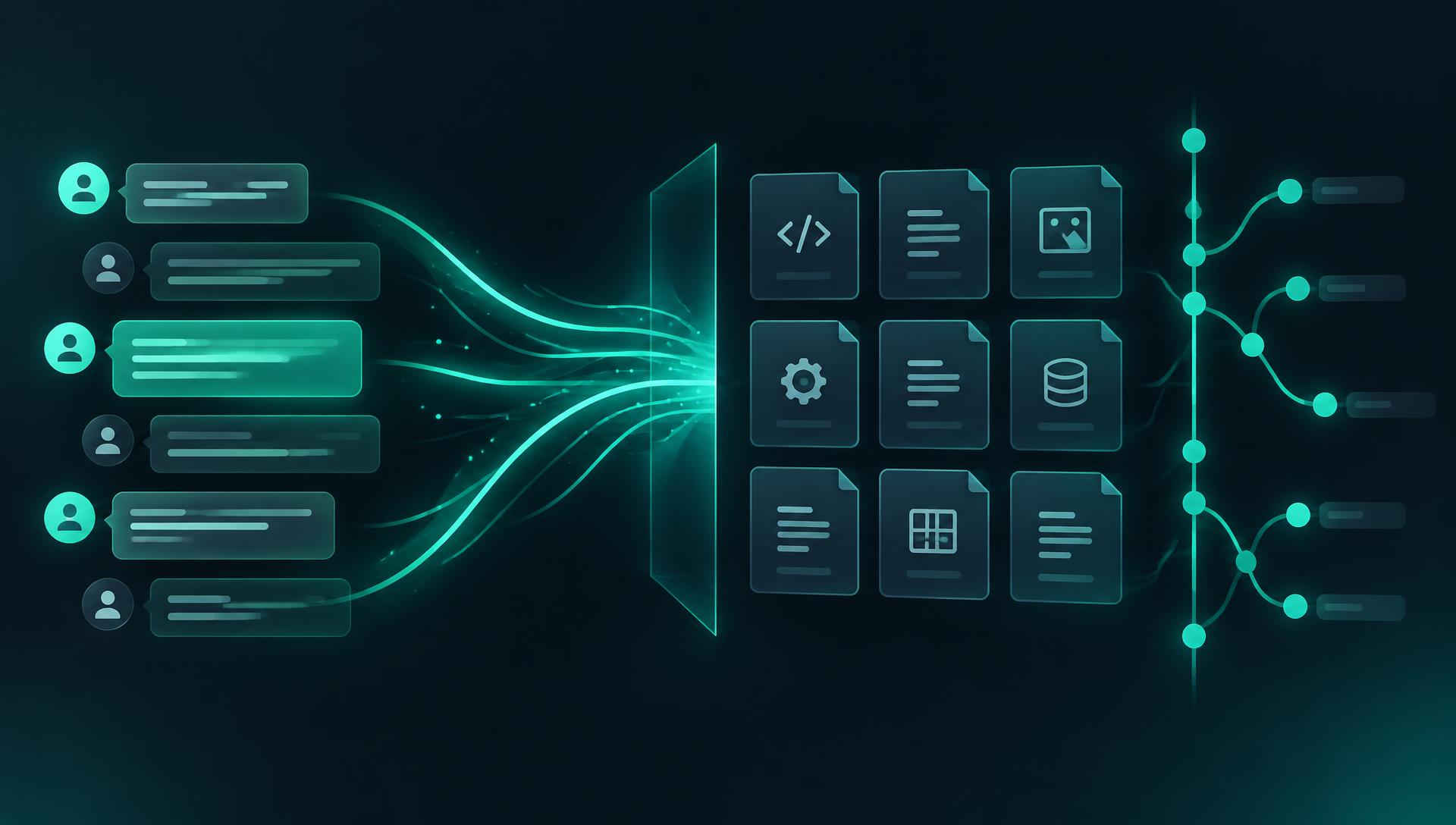
You have felt managed search work in ChatGPT. Now you build it. In this chapter you create your own private repository — you personally, not this article — and use an AI coding partner to implement the first lab: a clip manifest with checksums and handwritten ground truth, then managed search over a Marengo 3.0 index. The coding partner writes; you review, run, and decide.
What you will build
- A private Git repository you create (suggested name: twelvelabs-video-lab) with disciplined .gitignore from the first commit
- media_manifest.py — durations, SHA-256 checksums, and a ground-truth timeline you write by hand
- managed_search.py — index creation, resumable uploads, readiness polling, and five graded queries
- A working relationship with your coding partner: ask for a plan, inspect the changes, run small local tests, compare evidence, commit
The AI-assisted loop
Choose your coding partner
Choose one coding partner: Cursor, Codex, Claude Code, or Kiro. These are alternatives, not four requirements, and their workflows and approval controls differ; this series does not assume they are identical. Use whichever you can review confidently.
Pick one — each links to its official download page
%20--%3e%3cdefs%3e%3cstyle%3e%20.st0%20{%20fill:%20%2326251e;%20}%20%3c/style%3e%3c/defs%3e%3cpath%20class='st0'%20d='M139.03,4.61h90.64v49.93h-87.57c-47.24,0-84.11,27.27-84.11,84.88s36.87,84.88,84.11,84.88h87.57v49.93h-94.48c-79.12,0-135.19-46.48-135.19-134.82S59.91,4.61,139.03,4.61Z'/%3e%3cpath%20class='st0'%20d='M275.75,4.61h56.07v164.76c0,41.09,18.82,60.3,62.99,60.3s62.99-19.2,62.99-60.3V4.61h56.07v176.28c0,59.91-38.02,97.94-119.06,97.94s-119.06-38.41-119.06-98.32V4.61Z'/%3e%3cpath%20class='st0'%20d='M806.9,81.04c0,29.96-17.28,53-40.33,62.99v.77c24.2,3.46,36.49,20.74,36.87,44.17l1.15,85.26h-56.07l-1.15-76.04c-.38-16.9-10.37-27.27-30.34-27.27h-93.33v103.31h-56.07V4.61h154.78c50.7,0,84.49,25.73,84.49,76.43h0ZM750.45,88.72c0-23.04-12.29-35.72-35.33-35.72h-91.41v71.43h92.17c21.12,0,34.57-12.67,34.57-35.72h0Z'/%3e%3cpath%20class='st0'%20d='M1018.9,195.49c0-19.2-12.29-27.27-30.72-28.8l-62.22-5.76c-53.77-4.99-81.81-26.12-81.81-77.2S878.72,4.61,928.26,4.61h137.49v48.39h-133.65c-19.2,0-31.49,9.99-31.49,29.19s12.67,28.42,31.88,29.96l63.37,5.38c48.01,4.22,79.5,26.12,79.5,77.58s-33.41,79.12-80.65,79.12h-143.64v-48.39h138.26c18.05,0,29.57-12.29,29.57-30.34h0Z'/%3e%3cpath%20class='st0'%20d='M1239.35,0c84.49,0,137.88,54.15,137.88,139.03s-55.69,139.8-140.18,139.8-137.88-54.92-137.88-139.8S1154.86,0,1239.35,0ZM1319.24,139.41c0-56.84-33.03-90.25-81.04-90.25s-81.04,33.41-81.04,90.25,33.03,90.25,81.04,90.25,81.04-33.41,81.04-90.25Z'/%3e%3cpath%20class='st0'%20d='M1655.29,81.04c0,29.96-17.28,53-40.33,62.99v.77c24.2,3.46,36.49,20.74,36.87,44.17l1.15,85.26h-56.07l-1.15-76.04c-.38-16.9-10.37-27.27-30.34-27.27h-93.33v103.31h-56.07V4.61h154.78c50.7,0,84.49,25.73,84.49,76.43h0ZM1598.83,88.72c0-23.04-12.29-35.72-35.33-35.72h-91.41v71.43h92.17c21.12,0,34.57-12.67,34.57-35.72h0Z'/%3e%3c/svg%3e) Cursor
Cursor Codex
Codex Claude Code
 Kiro
KiroUse the same reader-led loop in chapters two through six: give the partner this chapter's brief and explicitly selected current files, excluding secrets; ask for a small plan; review the proposed changes; approve and apply only that increment; run local tests; inspect actual responses and source evidence only after a separately approved live run; debug with redacted errors; review git diff and git diff --cached; then commit yourself. Offline doubles establish local behavior, not provider success. Stop whenever you cannot explain a change. Tool access is not permission for broad autonomy, skipped understanding, or later-chapter work.
The build/review prompts in each chapter carry those boundaries explicitly. They supplement the existing listings and opening prompt below, not replace them. Share only the files you selected and sanitized errors; do not let the partner inspect .env, credentials, tokens, or secret stores. Every resource operation or paid request needs your separate approval, and you retain the final Git review and commit.
1Use my chapter-one brief and selected current files for chapter 2 only.2Propose a small setup/manifest/managed-search increment; wait for approval3before applying it. Preserve existing files and the selected corpus identity.4Check setup files, checksum checks, persisted remote IDs before polling,5and resume behavior. Cite current official API contracts; do not invent fields.6Use strict offline tests first; inspect actual responses only after I approve a live run.7Do not read secrets, commit/push, provision resources, or make paid calls8without my explicit approval. Do not jump to later chapters.9Explain each change; debug only with redacted errors; I review the diff and commit.1Review chapter 2's proposed diff and offline test evidence only.2Check setup order, gitignored secrets/media, checksum integrity, saved IDs,3and processing/failed/interrupted resume cases against current official API contracts.4Separate offline evidence from actual provider responses; invent neither.5Flag unexplained changes and redact errors. Do not read secrets or jump chapters.6Do not commit/push, provision, or make paid calls without my explicit approval.7Show what I must inspect in git diff and git diff --cached; I make the commit.The skill this chapter actually teaches is not Python — it is directing a coding partner without surrendering judgment. The loop:
- Ask for a plan first. Paste your chapter-one brief and say: “Propose the file layout and the order of work. Do not write code yet.” A plan you can read is cheaper than code you cannot.
- Inspect every change. Read the diff before you run it. You are looking for three things: secrets handling, resume behavior (does a crash re-run or duplicate work?), and whether the SDK calls match the official docs.
- Run small local tests. Each script should be runnable on its own and print what it did. If the partner hands you 400 lines with no way to run a piece, send it back.
- Compare evidence. Search results get graded against the ground truth you wrote by hand — not against whether they “look right.”
- Commit at checkpoints. git status, then git diff --cached, then commit. If a secret, a video, or a results file is staged, unstage it.
Prompts that work
1Here is a brief from a video AI experiment I ran: [paste your chapter-one brief].2 3Propose a Python project layout for a small lab that:41. builds a media manifest (checksums, durations, handwritten ground truth),52. uploads three local clips to TwelveLabs and indexes them with Marengo 3.06 (model_options visual + audio),73. runs five fixed search queries and saves results locally for grading.8 9Constraints: API key from a gitignored .env via python-dotenv; every remote ID10persisted to a gitignored state.json BEFORE polling, so a crash resumes instead11of duplicating; no secrets or media in Git. Plan first — no code yet.When the plan arrives, review it against this chapter's file tree below. When the code arrives, check it against the SDK contract notes in the listing comments — those are the places generated code most often drifts. If the partner invents a field (a confidence score, a ready flag on the store), point at the official reference and ask it to correct the call. Incorrect generated code is normal; your job is to catch it at review, not in production.
pfplabs/twelvelabs-video-lab
My reference implementation for this series: the scripts, fixtures, and notes each chapter builds. Create your own repository to follow along.
View on GitHubWhere you are heading: the repository after chapter two
This is the destination, not the starting point. GitHub does not create these files for you, and the first commit below contains only README.md, requirements.txt, .env.example and .gitignore. Later steps explain exactly who creates each remaining file.
1twelvelabs-video-lab/2 README.md # layout, setup, run order, Git discipline3 requirements.txt # twelvelabs, python-dotenv, numpy, boto34 .env.example # placeholder names only5 .gitignore # .env, .venv, media/, local-results/, vectors/, *state.json6 media-manifest.json # generated, then ground_truth filled in by hand7 media/ # your three clips (gitignored)8 local-results/ # model outputs + your grading (gitignored)9 state.json # remote IDs for resume (gitignored)10 media_manifest.py # this chapter11 managed_search.py # this chapterBefore the first command: tools and your API key
Nothing from this article's own project is copied onto your machine — your repository starts empty, so every file the setup commands rely on is listed in full below. You need Python 3.10 or newer, Git, and ffmpeg/ffprobe (media_manifest.py measures durations with ffprobe; the chapter 3 still-image exercise extracts frames with ffmpeg). Node.js 20 or newer is only needed for the chapter 6 workbench. Install ffmpeg from the official download page (on macOS, brew install ffmpeg works too), then confirm every tool answers:
Official install pages
1python3 --version # 3.10 or newer2git --version3ffmpeg -version # first line shows the version4ffprobe -version5node --version # chapter 6 only; v20 or newerMy companion repository pfplabs/twelvelabs-video-lab is the reference implementation linked above; it is not the repository you clone in this walkthrough. You create your own empty private repository and build it incrementally. Use GitHub’s New repository screen, name it twelvelabs-video-lab, select Private, and leave the automatic README, .gitignore and license options unselected. Replace YOUR-USERNAME in the command below with your own GitHub username.
Step 1 — Create the repository and make the four-file first commit
1git clone https://github.com/YOUR-USERNAME/twelvelabs-video-lab.git2cd twelvelabs-video-lab3pwd # confirm you are inside your own repositoryAn empty-repository warning is expected. In your editor, open this folder and create the four root files from the next four listings. Save each listing under its exact title — these are file contents, not terminal commands. Do not create .env with a real key yet, and do not run either Python script yet.
1twelvelabs2python-dotenv3numpy4boto31# Placeholders only. Real values stay in your local, untracked .env.2TWELVELABS_API_KEY=tlk_your_key_here3AWS_PROFILE=twelvelabs-video-lab4AWS_REGION=us-east-15LAB_BUCKET=your-unique-bucket-name6LAB_ACCOUNT_ID=1234567890121# Secrets and local state never enter Git.2.env3.venv/4__pycache__/5# Local results, media, vectors and resume state stay on your disk.6local-results/7media/8vectors/9state.json10bedrock-state.json11# The workbench builds its fixture from local results; only synthetic12# demo fixtures under workbench/public/demo/ are committed.13workbench/public/fixtures.json14workbench/node_modules/15workbench/dist/1# twelvelabs-video-lab2 3My own video AI lab: Jockey -> managed search -> Pegasus -> Marengo -> Bedrock.4 5## Setup6python3 -m venv .venv && source .venv/bin/activate7pip install -r requirements.txt8cp .env.example .env # add my own TwelveLabs key locally; never commit .env9 10## Rules11- Only my own recordings go in media/ (gitignored).12- Remote IDs live in state.json (gitignored) so runs resume.13- Run git status and git diff --cached before every commit.1git status --short2git add .gitignore README.md requirements.txt .env.example3git diff --cached --stat4git diff --cached5# Proceed only if exactly the four setup files are staged, with placeholders only.6git commit -m "Lab skeleton: no secrets, no media"7git log -1 --oneline8git status --shortThat is your first local commit. The last status command should be empty. You have a tracked setup skeleton, not a working video lab yet. A commit saves a checkpoint on your computer; it does not push anything to GitHub. If Git asks for your identity, configure your own commit name and email before retrying; choose GitHub’s private commit email if you do not want to expose a personal address.
Step 2 — Install locally and keep the real key out of Git
1python3 -m venv .venv && source .venv/bin/activate2pip install -r requirements.txt3cp .env.example .env4# Edit .env locally: replace only the TwelveLabs key placeholder.5# Leave AWS placeholders alone until chapter five.6git check-ignore .env .venv/7git status --shortgit check-ignore should name .env and .venv/; neither should appear in git status. Never show .env to your coding partner or print it to debug a missing key. The activation command above is for a macOS/Linux shell; on Windows PowerShell activate with .venv\Scripts\Activate.ps1. Installation alone does not contact TwelveLabs.
Step 3 — Save the two scripts before trying to run them
Approve a small implementation increment with your coding partner, using the prompts above, or copy the two full Python listings in this chapter into your editor. Save them as media_manifest.py and managed_search.py next to README.md — not inside media/. The names use underscores; media-manifest.py is not the filename. Read both scripts before execution. Neither pip install nor the manifest generator creates these Python files.
1python -m py_compile media_manifest.py managed_search.py2git status --short3# The two new Python files should be visible; secrets and videos should not be.Step 4 — Copy your clips into the local media folder
1mkdir -p media2# Copy your three .mp4 files into this folder using your file manager.3# Keep them directly inside media/, not inside a subfolder.4python - <<'PY'5from pathlib import Path6files = sorted(Path("media").glob("*.mp4"))7for file in files:8 print(file)9print(f"{len(files)} MP4 files")10assert len(files) == 3, "Put your three selected MP4 clips directly in media/"11PY12git check-ignore media/The check should print your actual three filenames and ‘3 MP4 files’. This script only scans lowercase *.mp4 files directly in media/; it does not descend into subfolders or convert .mov files. Use MP4 copies while retaining your originals. Copying files here neither uploads them nor imports the clips you connected to Jockey in ChatGPT — those are separate workflows.
Step 5 — Generate the manifest, then add your viewing notes
Choose one corpus deliberately: keep the three controlled tabletop recordings for repeatable mug/action ground truth, or manually download the licensed trailers linked in chapter one into your own gitignored media/ folder. Retain sintel_trailer-720p.mp4 and big-buck-bunny-trailer-480p.mp4 so the manifest IDs reflect the films; never rename them to clip-01-notebook or other tabletop IDs. The two trailers are two files, not three: if following the three-clip lab, add a third clip you own or are permitted to use, retaining its identity. Keep credits, source/license URLs, and modification notes alongside the assets. Nothing is downloaded or added to any repository by this article.
Choose and credit your sample files
Here is the local generator you saved in step 3. It reads your files, measures durations with ffprobe, calculates checksums, and writes a JSON inventory. It does not watch or understand the footage, create annotations, upload anything, or run search.
media_manifest.py — local inventory only
1"""Build media-manifest.json: duration, checksum, ground truth per clip."""2import hashlib3import json4import subprocess5from pathlib import Path6 7ROOT = Path(__file__).parent8MEDIA = ROOT / "media"9 10 11def sha256(path: Path) -> str:12 h = hashlib.sha256()13 with path.open("rb") as f:14 for chunk in iter(lambda: f.read(1 << 20), b""):15 h.update(chunk)16 return h.hexdigest()17 18 19def duration_sec(path: Path) -> float:20 out = subprocess.run(21 ["ffprobe", "-v", "error", "-show_entries", "format=duration",22 "-of", "default=noprint_wrappers=1:nokey=1", str(path)],23 capture_output=True, text=True, check=True,24 )25 return round(float(out.stdout.strip()), 2)26 27 28def main() -> None:29 clips = []30 for path in sorted(MEDIA.glob("*.mp4")):31 clips.append({32 "id": path.stem,33 "file": f"media/{path.name}",34 "sha256": sha256(path),35 "duration_sec": duration_sec(path),36 "ground_truth": [], # fill in by hand — this is your grading truth37 })38 out = ROOT / "media-manifest.json"39 out.write_text(json.dumps({"corpus": "desk-corpus", "clips": clips}, indent=2))40 print(f"wrote {out} with {len(clips)} clips — now fill in ground_truth")41 42 43if __name__ == "__main__":44 main()1python media_manifest.py2python -m json.tool media-manifest.json3# The generator must report 3 clips before you proceed.| Manifest field | Where it comes from | What you do with it |
|---|---|---|
| corpus | The generator always writes desk-corpus | Keep it for tabletop clips; change it to licensed-trailers or a descriptive mixed-corpus label for your selected footage. This label does not change the queries. |
| clips[].id | Filename without .mp4: sintel_trailer-720p.mp4 becomes sintel_trailer-720p | Your local key, not a TwelveLabs ID. Keep it stable; state.json will use this exact key. |
| clips[].file | Relative path, such as media/sintel_trailer-720p.mp4 | managed_search.py opens this file relative to the repository. Do not replace it with a URL or remote ID. |
| clips[].sha256 | A checksum of the file’s bytes | Leave it as generated. Search verifies the file has not changed; it is not a content description. |
| clips[].duration_sec | ffprobe measures the actual duration | Leave it as measured. Use seconds, not a guessed duration, when checking your annotations. |
| clips[].ground_truth | An empty array: [] | You add observations after watching the actual clip. No model supplies or automatically grades these notes. |
Open media-manifest.json in your editor. For each entry, open the exact video named in file, watch it, and note the start and end seconds of a clearly visible event relevant to a query. Edit ground_truth only, plus the corpus label when needed; preserve the generated IDs, paths, checksums and durations. Changing shots may need separate intervals. If an event or count is uncertain, leave it unconfirmed rather than treating a model’s answer as truth.
1"ground_truth": [2 {3 "query": "a person opens a blue notebook",4 "start_sec": 2.0,5 "end_sec": 4.0,6 "observation": "The notebook opens in this interval; checked by replaying."7 }8]Replace one clip’s ground_truth: [] with a field shaped like the example only after substituting your own watched event and times. These numbers are invented to show the structure — not expected timestamps for your clips. This is a suggested format for your manual grading notes, not an SDK input schema: managed_search.py reads the manifest’s IDs, paths and checksums but does not consume ground_truth. Record absent-query checks in your grading notes too. Re-run python -m json.tool media-manifest.json after editing to catch missing commas or invalid JSON.
Step 6 — Review the manifest-to-search handoff before any live run
You do not pass three filenames on the command line. managed_search.py opens media-manifest.json and loops over clips; each file field selects the bytes to upload, and each id becomes a local key in state.json. Copying a fourth MP4 into media/ after generating the manifest does not include it in search. Moving or renaming a listed file breaks its path. Finish selecting the corpus and checking the manifest before creating remote state.
- Read manifest → verify each file against its checksum. A missing or changed file must stop the run.
- Create or reuse the Marengo 3.0 index → persist its index_id in local state.json.
- Upload each manifest file → save its asset_id and checksum under the manifest’s local clip ID before polling.
- Wait for the upload, then create an indexed entry → save indexed_asset_id before waiting for search readiness. Upload success alone does not mean searchable.
- Run the five queries in QUERIES → save provider hits in local-results/managed-search.json. You replay and grade those hits yourself.
managed_search.py — with the contract notes that matter
The full file is below. Read the comments: they encode the audit lessons — both search modalities requested explicitly, the real result fields (rank, video_id, timestamps, optional user_metadata — there is no confidence field), checksum revalidation before reusing a saved asset ID, and readiness polling that never resubmits after a local timeout.
1"""Chapter 2: Marengo 3.0 managed search — upload, index, query.2 3Documentation-checked against the TwelveLabs Python SDK search reference;4live validation pending. Contract notes:5- indexes.create(index_name=..., models=[{"model_name": "marengo3.0",6 "model_options": ["visual", "audio"]}])7- client.search.query(index_id=..., query_text=..., search_options=["visual", "audio"])8- Result fields: rank, video_id, start/end timestamps, optional user_metadata.9 There is no confidence field; rank order is the signal.10"""11import json12import os13import time14from pathlib import Path15 16from dotenv import load_dotenv17from twelvelabs import TwelveLabs18 19load_dotenv()20client = TwelveLabs(api_key=os.environ["TWELVELABS_API_KEY"])21 22ROOT = Path(__file__).parent23STATE_PATH = ROOT / "state.json"24RESULTS = ROOT / "local-results"25RESULTS.mkdir(exist_ok=True)26 27state = json.loads(STATE_PATH.read_text()) if STATE_PATH.exists() else {}28 29 30def save_state() -> None:31 STATE_PATH.write_text(json.dumps(state, indent=2))32 33 34def verify_checksums(manifest: dict) -> None:35 """Never reuse a stored asset ID for a file that changed on disk."""36 import hashlib37 for clip in manifest["clips"]:38 h = hashlib.sha256((ROOT / clip["file"]).read_bytes()).hexdigest()39 if h != clip["sha256"]:40 raise RuntimeError(f"{clip['id']}: file changed since manifest — re-record or re-manifest")41 42 43def ensure_index() -> str:44 if "index_id" not in state:45 index = client.indexes.create(46 index_name="twelvelabs-video-lab",47 models=[{"model_name": "marengo3.0", "model_options": ["visual", "audio"]}],48 )49 state["index_id"] = index.id50 save_state()51 return state["index_id"]52 53 54def ensure_assets(manifest: dict) -> None:55 """Upload clips; revalidate saved IDs instead of blindly skipping."""56 state.setdefault("assets", {})57 for clip in manifest["clips"]:58 clip_id = clip["id"]59 if clip_id in state["assets"]:60 saved = state["assets"][clip_id]61 if saved.get("sha256") != clip["sha256"]:62 raise RuntimeError(f"{clip_id}: checksum mismatch — delete the stale asset and re-run")63 asset = client.assets.retrieve(saved["asset_id"])64 if asset.status == "failed":65 raise RuntimeError(f"{clip_id}: asset {saved['asset_id']} failed processing — re-upload")66 print(f"skip {clip_id}: asset {saved['asset_id']} status={asset.status}")67 continue68 with (ROOT / clip["file"]).open("rb") as f:69 asset = client.assets.create(method="direct", file=f)70 state["assets"][clip_id] = {"asset_id": asset.id, "sha256": clip["sha256"]}71 save_state()72 print(f"uploaded {clip_id} -> {asset.id}")73 74 75def wait_asset(api, asset_id: str, timeout_sec: int = 1800):76 """Poll a persisted upload; timeout preserves the ID for the next run."""77 deadline = time.monotonic() + timeout_sec78 while time.monotonic() < deadline:79 asset = api.assets.retrieve(asset_id)80 if asset.status == "ready":81 return asset82 if asset.status in ("failed", "canceled"):83 raise RuntimeError(f"asset {asset_id}: {asset.status}")84 time.sleep(5)85 raise TimeoutError(f"asset {asset_id} still processing — resume the same ID")86 87 88def wait_indexed(index_id: str, timeout_sec: int = 1800) -> None:89 """Create actual index entries after upload readiness; persist and resume IDs."""90 for clip_id, saved in state["assets"].items():91 wait_asset(client, saved["asset_id"], timeout_sec)92 if "indexed_asset_id" not in saved:93 entry = client.indexes.indexed_assets.create(index_id, asset_id=saved["asset_id"])94 saved["indexed_asset_id"] = entry.id95 save_state()96 deadline = time.monotonic() + timeout_sec97 while time.monotonic() < deadline:98 entry = client.indexes.indexed_assets.retrieve(index_id, saved["indexed_asset_id"])99 if entry.status == "ready":100 print(f"indexed: {clip_id}")101 break102 if entry.status in ("failed", "canceled"):103 raise RuntimeError(f"indexed asset {saved['indexed_asset_id']}: {entry.status}")104 time.sleep(5)105 else:106 raise TimeoutError(f"{clip_id}: still indexing — resume indexed_asset_id")107 108 109def search(index_id: str, query: str) -> list[dict]:110 """Managed search over both modalities. Fields per SDK reference:111 rank, video_id, start/end timestamps, optional user_metadata."""112 result = client.search.query(113 index_id=index_id,114 query_text=query,115 search_options=["visual", "audio"],116 )117 hits = []118 for item in result:119 hits.append({120 "rank": item.rank,121 "video_id": item.video_id,122 "start": item.start,123 "end": item.end,124 "user_metadata": getattr(item, "user_metadata", None),125 })126 return hits127 128 129QUERIES = [130 "a person opens a blue notebook",131 "the red mug is moved across the desk",132 "someone claps once",133 "a pen rolls off the table",134 "a person opens a window", # absent on purpose — expect no good hit135]136 137 138def main() -> None:139 manifest = json.loads((ROOT / "media-manifest.json").read_text())140 verify_checksums(manifest)141 index_id = ensure_index()142 ensure_assets(manifest)143 wait_indexed(index_id)144 out = {}145 for q in QUERIES:146 out[q] = search(index_id, q)147 print(f"{q!r}: {len(out[q])} hits, top={out[q][0] if out[q] else None}")148 (RESULTS / "managed-search.json").write_text(json.dumps(out, indent=2))149 print("saved local-results/managed-search.json — grade it against your ground truth")150 151 152if __name__ == "__main__":153 main()1python managed_search.py2# On success, inspect local-results/managed-search.json and state.json locally.3# Neither belongs in a commit. Do not share credentials or unredacted local state.Step 7 — Match remote hits back to your files and grade them
Open local-results/managed-search.json next to your manifest and local state.json. Results are grouped by query; each hit includes rank, video_id, start and end. video_id is a provider identifier, not your filename-stem ID. Use state.json’s saved indexed_asset_id mapping and the provider’s indexed-asset record to confirm which local clip the hit refers to; never guess from the rank or rename the clip to a remote ID. If the identifiers do not resolve clearly, stop and inspect the documented provider response before grading. The listing does not automatically join hit IDs to filenames or score ground_truth.
Replay the resolved local clip over each hit’s start/end seconds. For each of your five questions, record the query, local filename, returned interval, your watched interval, and a judgment: supported, wrong, or unconfirmed. Did the top hit land inside a true interval? Did your absent query return irrelevant hits? Write these judgments into local-results/managed-search-grading.md. This is manual evidence you compare in chapters three and four, not an automatically graded result or a promise that your answers will match mine.
Expected checks
- git status shows no .env, media, results, or state files — ever.
- Re-running managed_search.py prints “skip …” for uploaded clips and resumes polling instead of re-uploading.
- Changing a clip file and re-running fails loudly on the checksum mismatch.
- All five queries ran; the absent query's behavior is recorded in your grading notes.
- Your commits are small and each one passed git diff --cached review.
Exercise
Deliberately break the contract: ask your coding partner to add a confidence field to the search output. When it obliges (it will — the field does not exist), point it to the SDK search reference and have it correct the code. The goal is to practice catching plausible-but-invented API surface at review time, while the stakes are three clips on your desk.
Troubleshooting
| Symptom | Likely cause | Fix |
|---|---|---|
| ModuleNotFoundError: twelvelabs | Virtualenv not active | source .venv/bin/activate, then pip install -r requirements.txt |
| 401 from the API | Key missing or .env not loaded | Check .env exists next to the scripts; never hardcode the key |
| Cannot open media_manifest.py | Script not saved, wrong filename, or wrong working folder | Save media_manifest.py from this chapter beside README.md; run from your repository root. Use underscores, not media-manifest.py. |
| Generator reports 0 clips | Missing media/ folder, nested files, or filenames not ending in lowercase .mp4 | Create media/ inside your repository and put the three selected MP4 files directly in it; list them before regenerating. |
| Empty ground_truth or unexpected desk-corpus label | The generator creates a skeleton, not annotations | Watch each clip and edit the manifest yourself. Regeneration resets both the annotations and corpus label. |
| Checksum mismatch error | Clip changed after manifest | Restore the original bytes or back up notes and deliberately regenerate. Recheck annotations; resolve stale remote assets without blindly clearing state. |
| TimeoutError while indexing | Long processing | Just re-run — saved IDs resume polling |
Step 8 — Review and commit the chapter checkpoint yourself
The manifest is tracked in this lab, so inspect it for private filenames and sensitive observations before committing even to a private repository. Keep footage, real keys, remote state and model outputs ignored. This is your second checkpoint: code and the manually reviewed inventory, not the videos. Pushing is a separate decision you make yourself after reviewing the staged diff.
1git status --short2git diff # inspect changes to already tracked files3git add README.md requirements.txt .env.example .gitignore \4 media-manifest.json media_manifest.py managed_search.py5git diff --cached --stat6git diff --cached # inspect exactly what the commit will contain7# Stop if secrets, videos, results or state are staged.8git commit -m "Chapter 2: manifest and managed Marengo 3.0 search"9git status --short10# Optional, only when you decide to send this reviewed commit to your private remote:11# git pushReferences
Official sources used for this chapter
Next chapter: Pegasus 1.6 explains what happened in your clips — streamed summaries, validated segment extraction, and a still-image exercise that shows what video models lose without motion.