


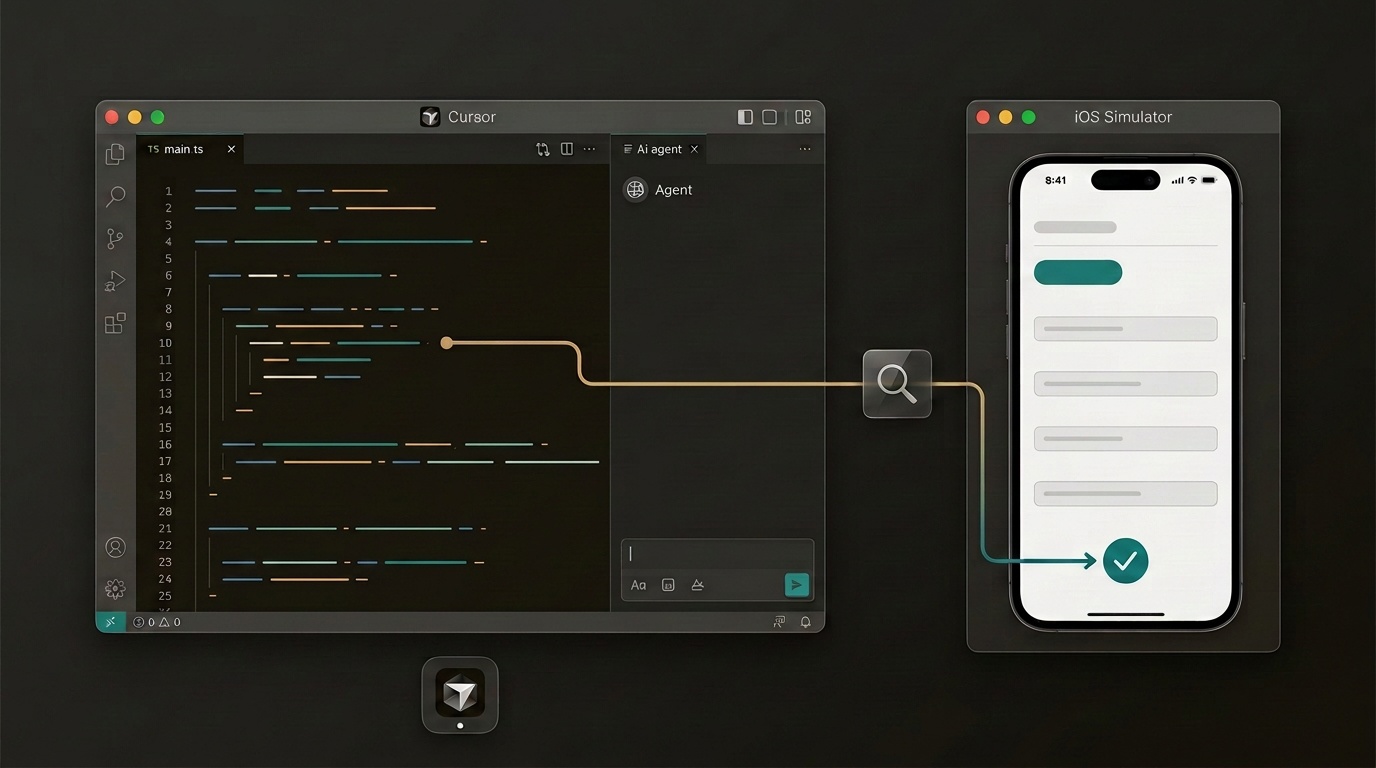
I build RelaxTax, a React Native app (Expo, MobX, AWS Amplify) that helps people in Austria file their tax return through a friendly questionnaire. On a Saturday evening I asked Cursor's agent for two features. Then I asked the question that matters when you can't watch every step: "Did you actually nail the UI/UX?"
Instead of telling me to go try it, the agent opened the iOS simulator, walked through the app itself, took screenshots, found bugs I hadn't noticed, fixed them, and checked again. These are my notes on how that went.
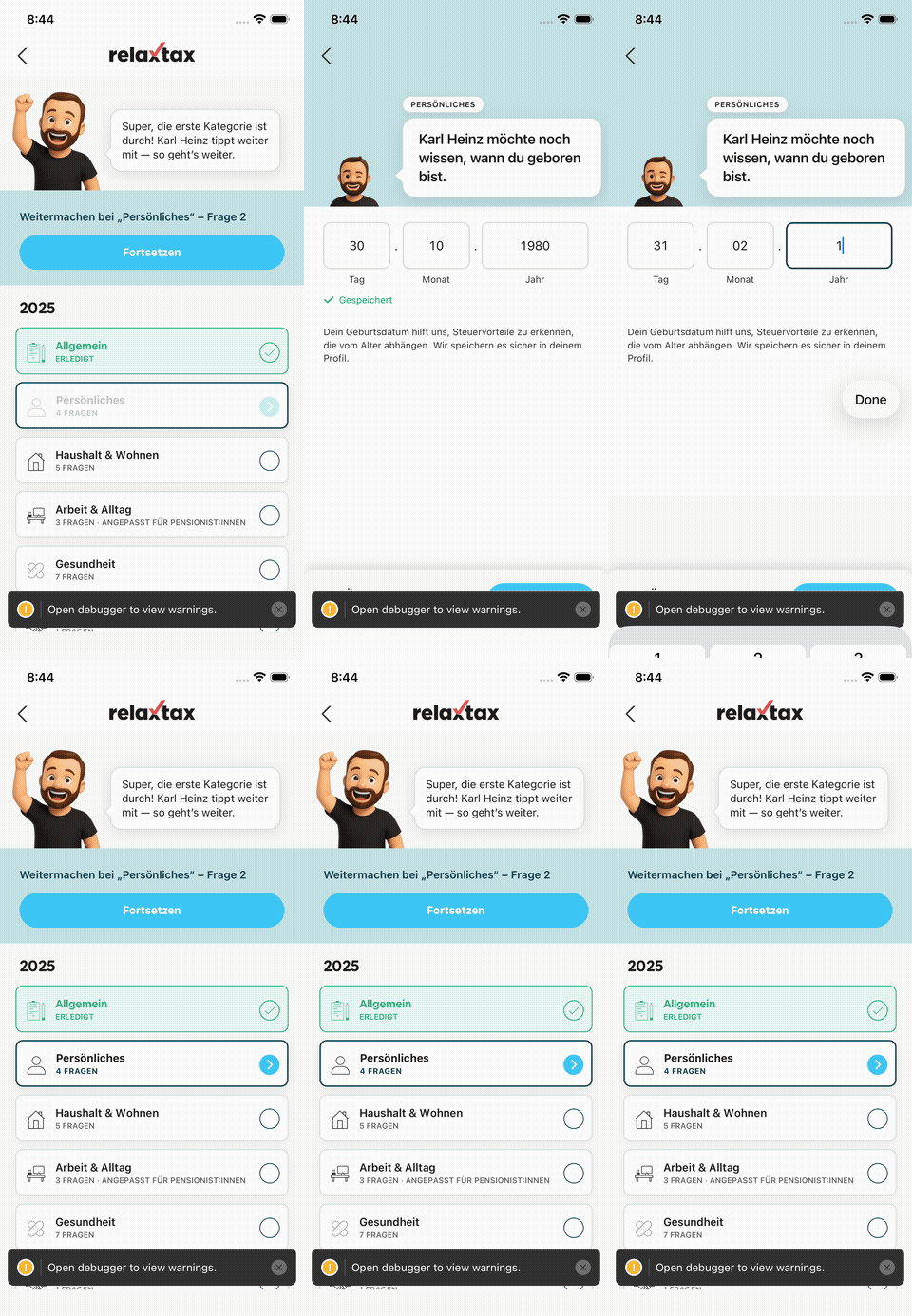
Original full-quality recording
The two features
- Birthdate in "Persönliches" (Personal). A new page in category 2 asks for the user's date of birth. It isn't a content-managed question, it's built into the app. It uses a segmented
TT.MM.JJJJinput with autofill support, checks for impossible dates, and saves the value to the user's AWS Cognito profile (the standardbirthdateattribute). - Pensioner rules for "Arbeit & Alltag" (Work & everyday life). If the user answers "Pensionist:in" (retired) in question 1.2, questions about commuting, home office, work equipment and so on don't apply. The app hides them, and the Overview explains why.
Planning went back and forth first. The agent asked me four decisions rather than guessing:
- Hide only some of the work questions, or all of them?
- Keep the rule in the app, or in the CMS?
- Is the birthdate required?
- Which kind of date picker?
After that it implemented everything and wrote unit tests (269 of them passing at that point).
"Are you sure about the UX?"
Tests pass, but tests don't show you a misaligned layout. So I asked. The agent came back with an honest list of things it hadn't been able to check visually, and offered to run the app in the simulator. I said yes.
Step 1: write a test script for the walkthrough
The project already used [Maestro](https://maestro.mobile.dev/) for end-to-end tests. The agent wrote a temporary Maestro flow in YAML that:
- launches the app and logs in, reusing the project's shared login flow,
- opens the tax year,
- taps into "Persönliches", types an invalid date (31.02.1980), fixes it, and waits for "Gespeichert",
- goes back to the Overview, selects "Pensionist:in" in question 1.2, and opens "Arbeit & Alltag",
- takes a screenshot at every step.
A shortened version of one of the flows:
1- tapOn: ".*Arbeit & Alltag.*"2- waitForAnimationToEnd3- takeScreenshot: /tmp/ux/09-arbeit-banner4- extendedWaitUntil:5 notVisible:6 id: "pensionist-info-banner"7 timeout: 100008- takeScreenshot: /tmp/ux/10-arbeit-banner-goneThen it ran the flow and opened every screenshot to look at it, using the model's ability to read images.
Step 2: it hit real obstacles and diagnosed them itself
The first run did not work. What I liked was how it debugged.
The app loaded someone else's code. The first screenshot was a red error screen:
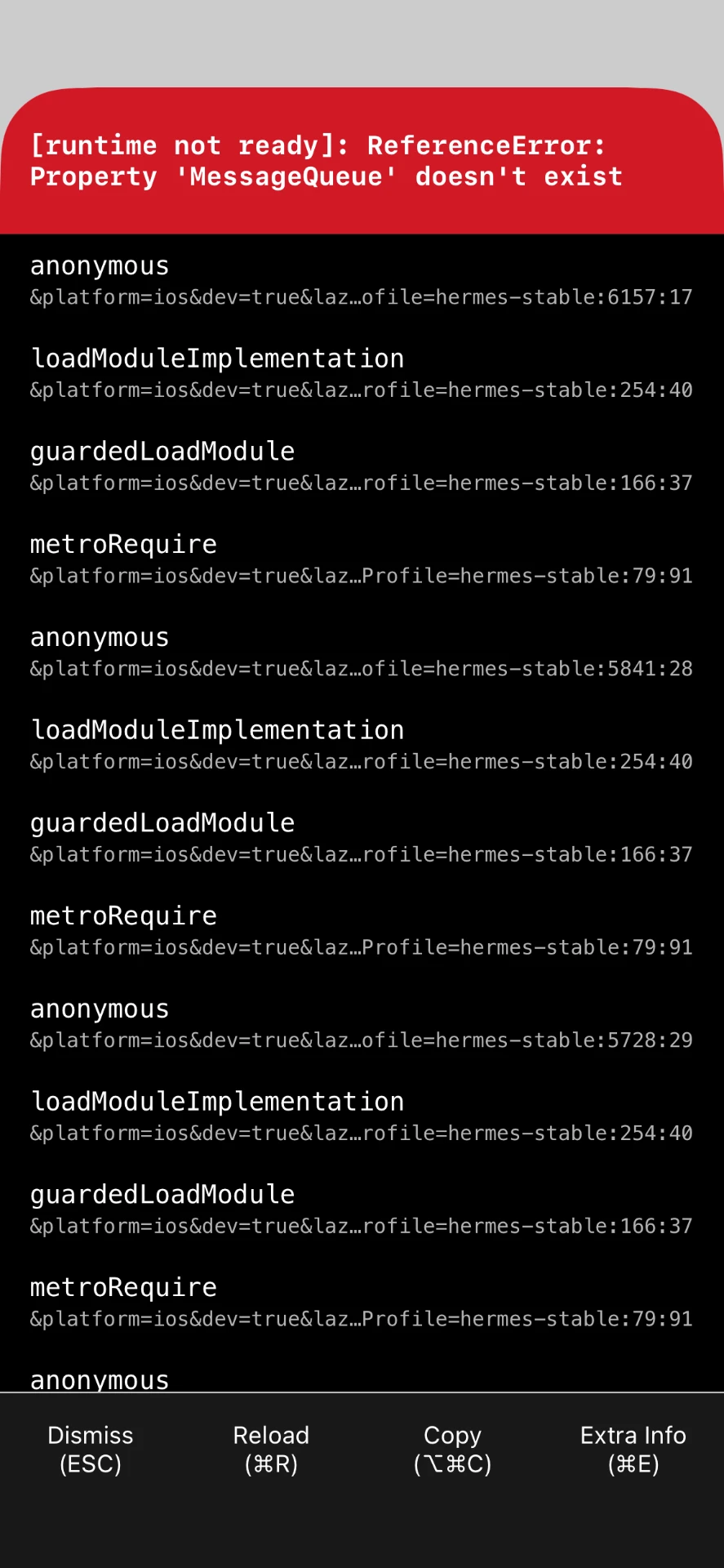
The agent checked what was listening on port 8081 and found a Metro bundler from a different project of mine. It didn't kill my other project. It started RelaxTax's own bundler on port 8082 and pointed the simulator app at it:
The command below uses a placeholder bundle identifier; substitute your own app identifier. The point is to isolate the correct bundler, not terminate an unrelated project.
1npx react-native start --port 80822xcrun simctl spawn booted defaults write "<your-app-bundle-id>" RCT_jsLocation "localhost:8082"It was logged in with the wrong kind of account. The shared flow tried to switch on "Debug Mode" in Settings. That toggle only exists for allowlisted accounts, and the simulator was signed in with my personal one. The agent read the Settings code, saw the allowlist, decided the walkthrough didn't need debug mode, and removed that step.
It couldn't find the date fields, and that turned out to be an accessibility bug. Maestro couldn't find the input fields by their test IDs. The agent dumped the simulator's view hierarchy and saw the whole page exposed as one accessibility element. In this screen, a "tap anywhere to dismiss the keyboard" touchable grouped its children on iOS. That meant VoiceOver users couldn't reach the three fields individually. The fix was one prop: accessible={false}. The hierarchy made the grouping problem visible; this was not a complete VoiceOver audit.
Its own test tapped the wrong thing. Tapping "Pensionist:in" didn't select it. The agent worked out that its search pattern .*Pensionist:in.* also matched the question text ("Warst du Arbeiter:in, Angestellte:r oder Pensionist:in?"), so it had tapped the speech bubble. It switched to an exact match: ^Pensionist:in$.
Step 3: the screenshots showed real UI bugs
Bug 1: the birthdate page sat about 44px too high. Compared with every other question, the speech bubble was pushed up, the category badge was clipped, and the background was the wrong colour:
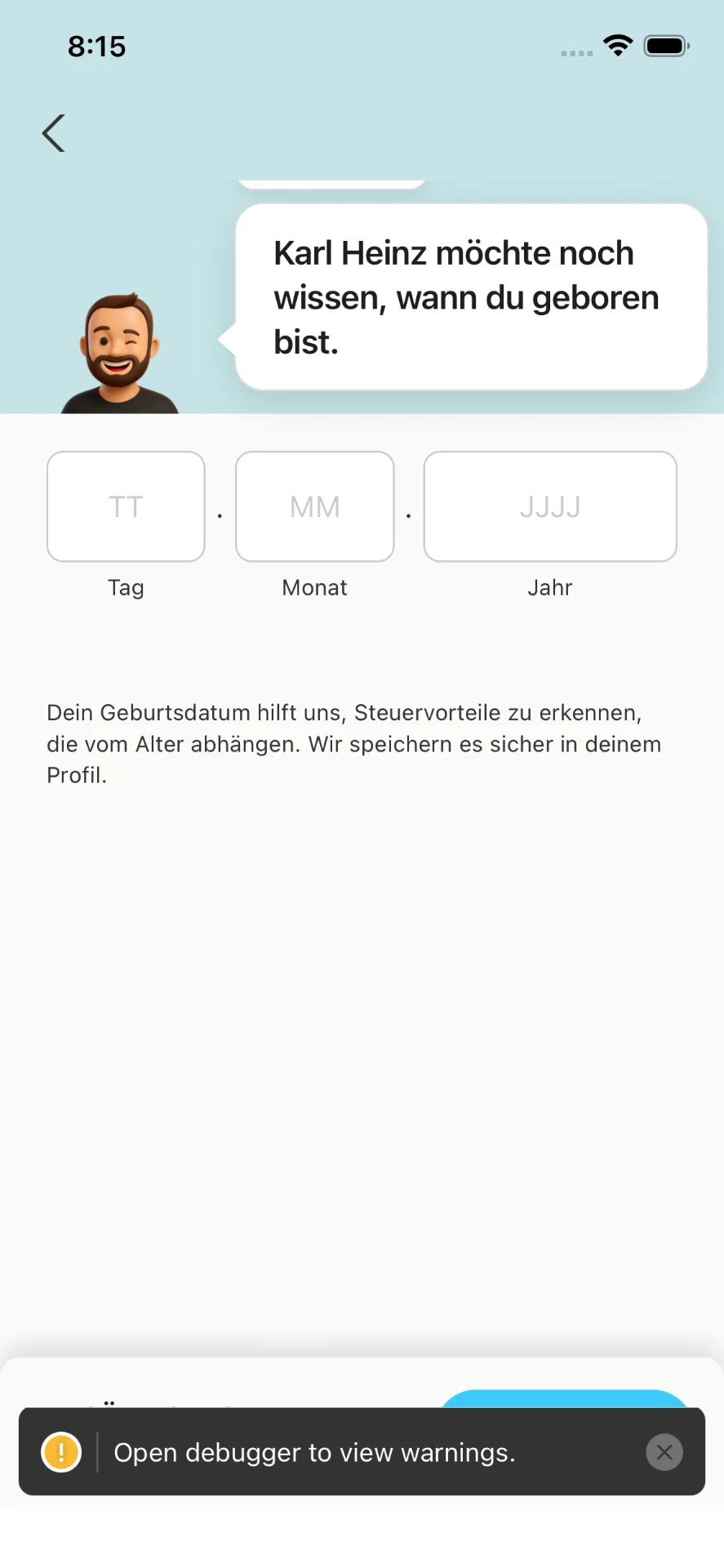
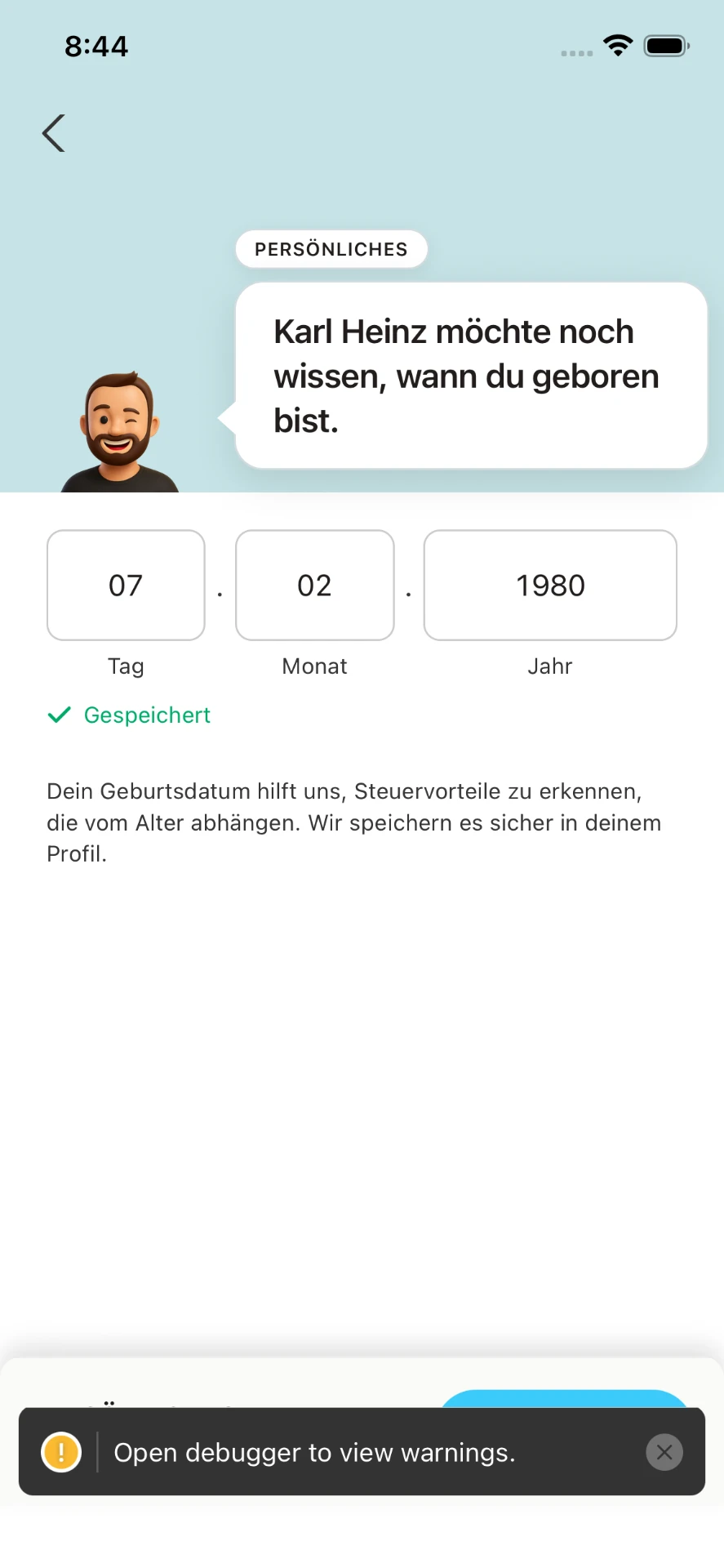
The agent put this screen next to a normal question and traced the difference to a shared wrapper (components/Questions.js). CMS questions get top padding and a white background from it, and the new page skipped it. After the fix the page looks like every other question.
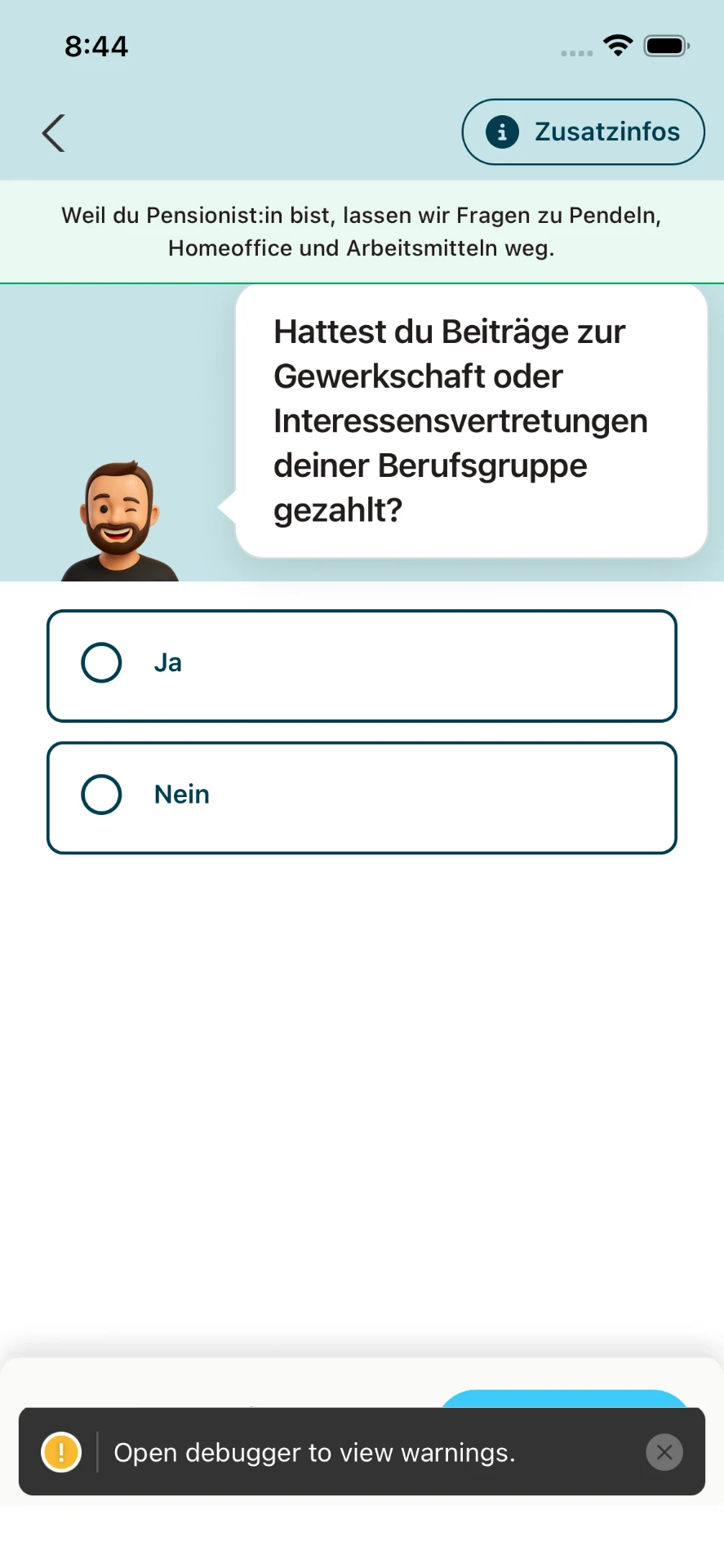
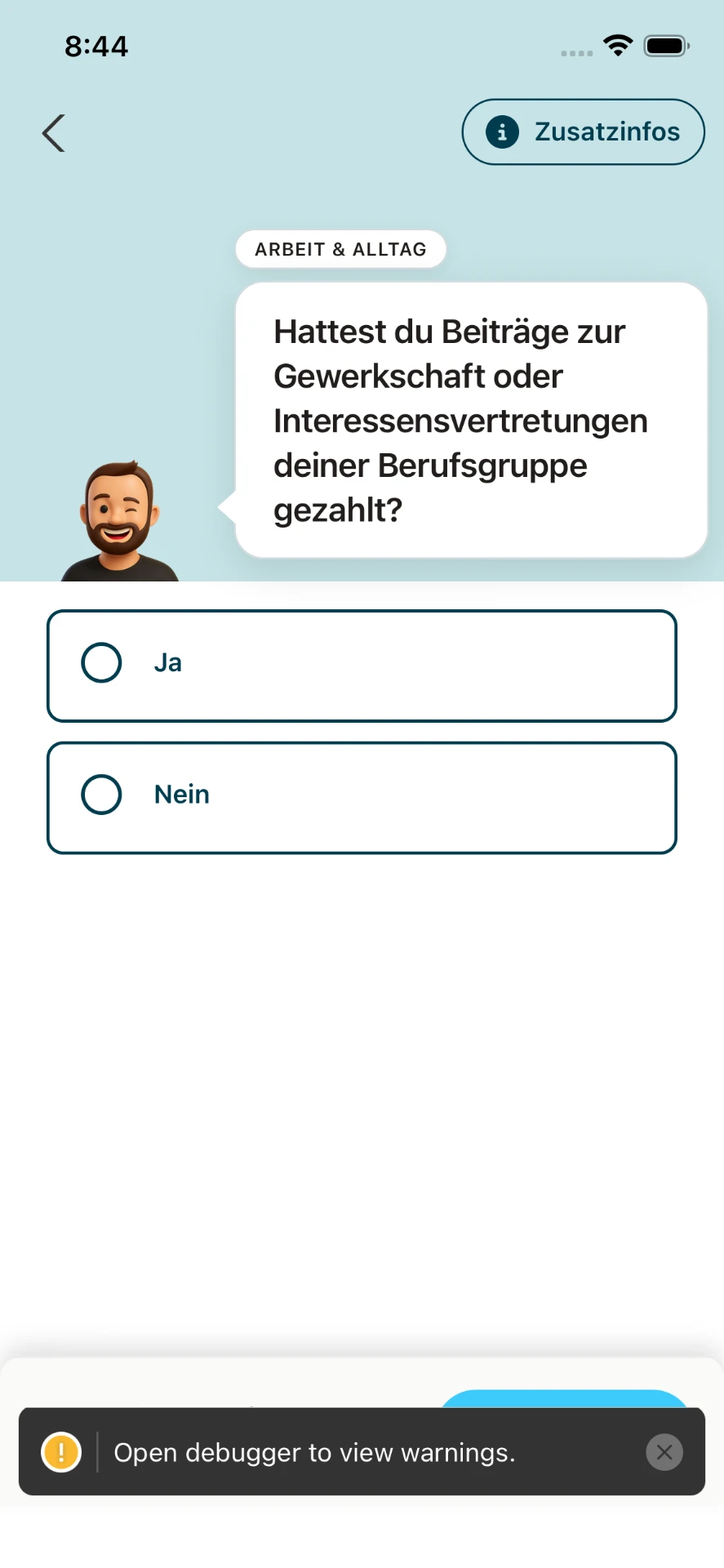
Bug 2: the pensioner banner hid the category badge. The explanation banner ("Weil du Pensionist:in bist, lassen wir Fragen zu Pendeln, Homeoffice und Arbeitsmitteln weg.") covered the "ARBEIT & ALLTAG" badge for as long as you stayed on the first question. The agent made it disappear after 6 seconds or on tap:
Step 4: the pensioner feature, confirmed on device
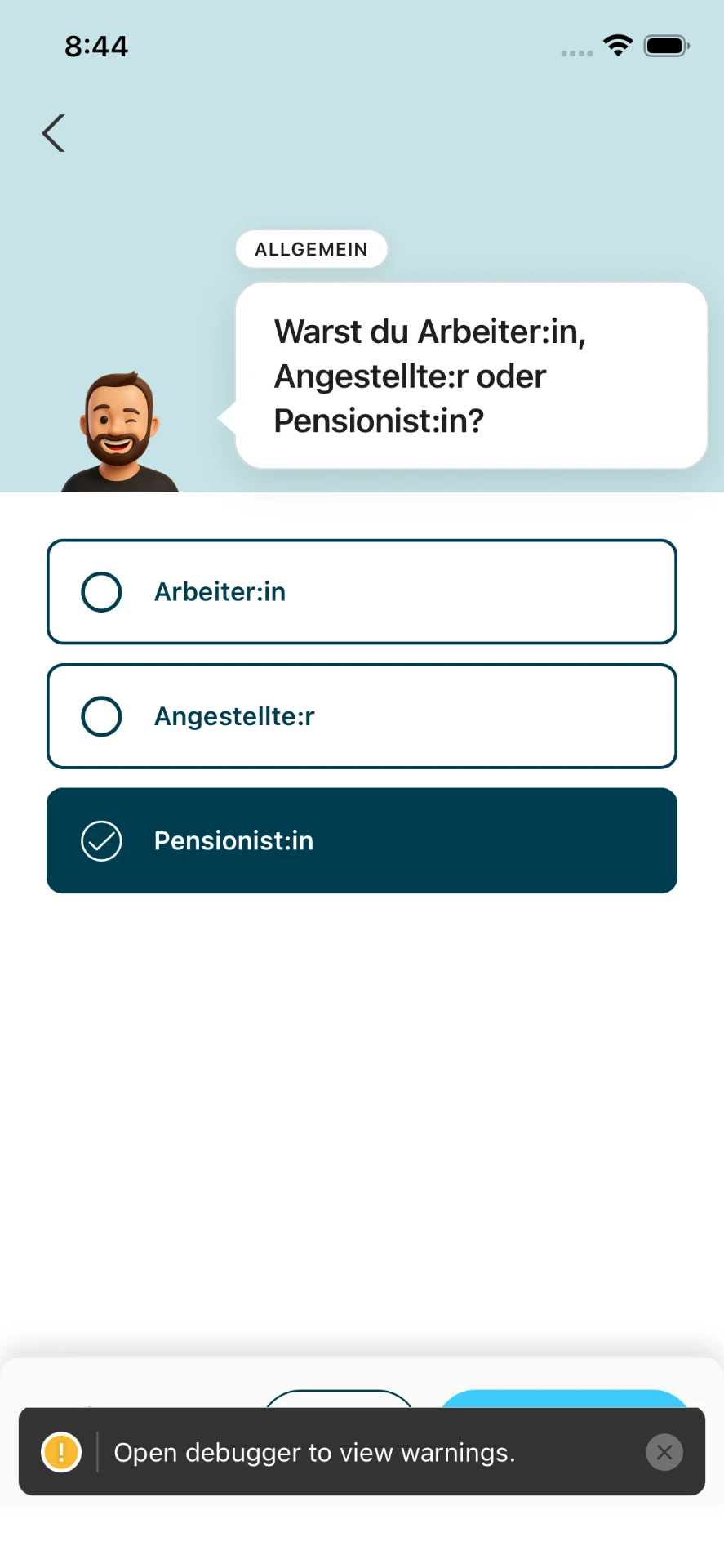
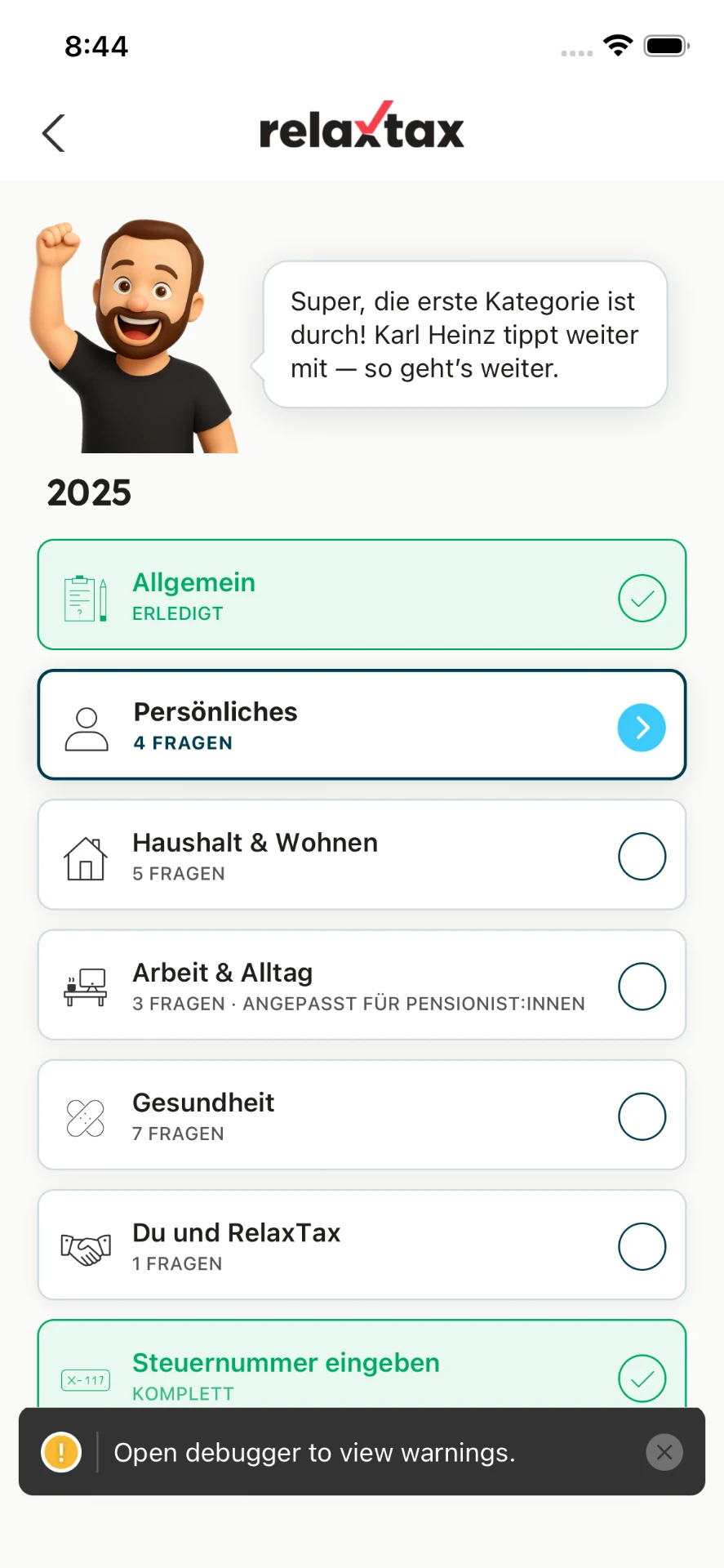
"Arbeit & Alltag" dropped from 12 questions to 3, and the tile explains why. The agent also noticed that "Persönliches" went up from 3 to 4 questions. Instead of calling it a bug, it searched the questionnaire data and found a CMS question that only appears for pensioners, so it was correct.
Step 5: it checked the backend too
The screens said "Gespeichert" (saved), and the agent didn't take that at face value. It queried Cognito with the AWS CLI and confirmed the profile now held the date it had typed on the simulator: 1980-02-07.
Step 6: cleanup
When it was done, the agent deleted its temporary test flows, stopped the extra bundler, and reset the simulator to its normal settings. It left my other project's bundler alone. It also told me plainly that the walkthrough had changed real data on my account (my 1.2 answer for 2025 was now "Pensionist:in"). I'd much rather hear that up front than discover it later.
Bonus: recording the video found one more bug
For this post I asked the agent for a screen recording. It wrote another flow using Maestro's startRecording / stopRecording and started recording only after login, keeping login credentials out of the recording. The walkthrough still shows the entered test date and questionnaire state.
The first take failed, and that turned out to be useful. This time the date fields were already filled in from the earlier run. When focus jumped automatically from "Tag" to "Monat", the new digits were appended to the existing "02" and then cut off at two characters, so the user's input was silently dropped. The fields ended up showing "07.10.2198". A real user editing their saved birthday would have hit exactly this.
The agent:
- spotted it in the failure screenshot,
- queried Cognito and found that an unintended (but valid) date had been saved along the way,
- fixed the input so typing into a full field replaces it,
- added a regression test,
- re-recorded, which also restored the correct date (and it checked Cognito again to confirm).
A follow-up UX decision
Afterwards I wondered whether existing users who had already finished "Persönliches" should get a pop-up asking for their birthday. The agent advised against it: an unexplained request for personal data risks dismissal. The more useful question was how to avoid confusion ("why did my finished category reopen?"). It suggested a lighter nudge instead: the tile reads "Neu: Geburtsdatum" and the buddy character says "Karl Heinz hat noch eine kurze Frage zu deinem Geburtsdatum." It built that and added tests.
What impressed me
- It didn't ask me to test. My project has a rule telling the agent to verify things itself instead of handing manual testing back to me, and it followed it.
- It looked at the screenshots instead of just collecting them. Two of the bugs it found would have passed every unit test.
- It debugged in the environment it was in. Port conflicts, the wrong account, test selectors that were too broad: it read the code or the system state each time instead of retrying the same thing.
- It found an accessibility bug by accident, through its own test tooling.
- It checked the backend, not just the UI.
- It cleaned up and told me what it had changed.
The tools
- Cursor, agent mode
- Maestro for driving the simulator and taking screenshots
- Xcode's iOS Simulator (iPhone 16e, iOS 26) with
xcrun simctl - AWS CLI for checking Cognito
- Jest for unit tests (274 passing at the end)
- ffmpeg to turn the recording into the GIF and MP4 above
Note: the "Open debugger to view warnings" toast at the bottom of the screenshots comes from running a development build. It isn't part of the app.
The engineering lesson: close the verification loop
What made this impressive was not just that Cursor wrote the features. It moved between code, environment state, the view hierarchy, screenshots and stored data until those accounts agreed. The recording then challenged the happy path again: editing an existing value exposed a regression that entering a fresh one had missed.
That is the standard I want from instructor-led coding: give the agent a clear goal and a bounded environment, then ask for evidence rather than reassurance. This builds on my approach to instructor-led coding and using Cursor with cloud observability tools. Passing tests are one layer. Actually looking at the product is another.
Official documentation and tool references
The cover is an original editorial illustration with Cursor’s official wordmark, not a screenshot of the IDE or an endorsement. The seven screenshots and walkthrough are the authentic assets from this session; the development warning toast is not part of the shipped app.